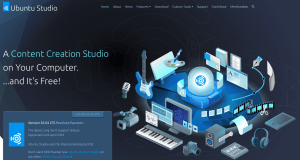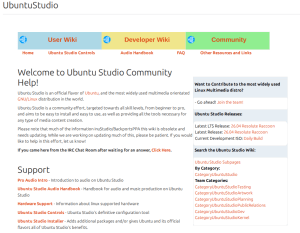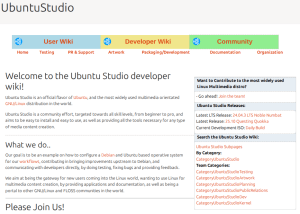
Ubuntu Studio’s web presence has been spread across several Canonical-hosted systems for a long time: the main website on an old Canonical web server, the Ubuntu Community Help Wiki at help.ubuntu.com/community/UbuntuStudio, and the Ubuntu Developer Wiki at wiki.ubuntu.com/UbuntuStudio. Those platforms served their purpose, but each had become a poor fit for how the project actually works today.
What’s Moving
The main Ubuntu Studio website has already moved away from Canonical hosting and onto its current home. That move was driven by necessity: Canonical shut down the old web server that had hosted the site, so Ubuntu Studio needed a new home for its primary web presence. This has been a mostly transparent process and most users would never have noticed a difference.
The Community Help Wiki — the place where users have always gone to find answers about audio configuration, hardware support, the Audio Handbook, and getting started with Ubuntu Studio — is being mirrored and maintained directly on ubuntustudio.org at /help/. Every page you’re used to is coming with us: the Pro Audio Intro, the Ubuntu Studio Audio Handbook and all its chapters, the FAQ, hardware support information, terminal basics, troubleshooting guides, and community information. Most of this is outdated now, and we need help to bring it up to modernization.
The Developer Wiki — home to the team’s internal processes, release planning, testing documentation, artwork resources, and packaging and development notes — is moving to ubuntustudio.org at /wiki/. The full section structure is preserved: Testing, PR & Support, Artwork, Packaging/Development, Documentation, and Organization are all there. This information is also outdated.
Why Now
The website move and the wiki move do not have exactly the same origin.
For the main website, the trigger was straightforward: Canonical shut down the old web server that hosted it. Ubuntu Studio had to move the site in order to keep a public home on the web.
For the help and developer wikis, the issue was the editing experience and maintenance burden. The old MoinMoin-based wiki workflow is cumbersome, slow, and awkward to work with. Its markup is not standard Markdown, which makes editing, reviewing, and migrating content more difficult than it should be. Over time, that friction made it harder to keep pages current, fix outdated instructions, and encourage casual contributors to improve documentation.
Meanwhile, ubuntustudio.org has been running on WordPress for some time, and the team has been using GitHub for development work. By routing our documentation through a GitHub repository — using the Git it Write plugin to publish markdown directly to WordPress — we get something we’ve never really had before: a documentation workflow that fits naturally alongside our other development work. Pull requests, issue tracking, version history, and a low barrier to entry for new contributors all come with it.
What This Means for Contributors
If you’ve ever wanted to fix something on the old wiki and been put off by the process, this is your opening. The content lives in a public GitHub repository. Find the file, fix the text, open a pull request. That’s it.
The content is organized into buckets that map to the old wiki structure:
help/content/support/ — support pages (FAQ, hardware, audio configuration, etc.)
help/content/handbook/ — the Audio Handbook and Pro Audio Intro
help/content/community/ — IRC, mailing lists, joining the team
help/content/reference/ — resources, links, wiki guide
wiki/content/ubuntu-studio/ — developer wiki pages
If you’re editing a page that has outdated information, and there’s plenty of it, particularly around the old PulseAudio/JACK workflow that predates PipeWire — this is the place to update it.
What Isn’t Changing
The old wiki pages at help.ubuntu.com and wiki.ubuntu.com aren’t going anywhere immediately. Canonical maintains those as part of Ubuntu infrastructure, and they’ll continue to exist. Our goal isn’t to break any existing bookmarks or search results, it’s to have a home where we can keep things current.
We’re also not rewriting the documentation wholesale. The content of the mirrored pages is as faithful to the originals as it can be, with updates where the old guidance referred to software or workflows that no longer apply to current Ubuntu Studio releases.
The Ubuntu Studio team is pleased to announce Ubuntu Studio 26.04 LTS, code-named “Resolute Raccoon.” This marks Ubuntu Studio’s 38th release.
This Long-Term Support (LTS) release is supported for 3 years, through April 2029. An Ubuntu Studio LTS arrives once every two years. This is more than a routine update: it is a long-horizon milestone for creators, educators, studios, and production systems that prioritize dependability.
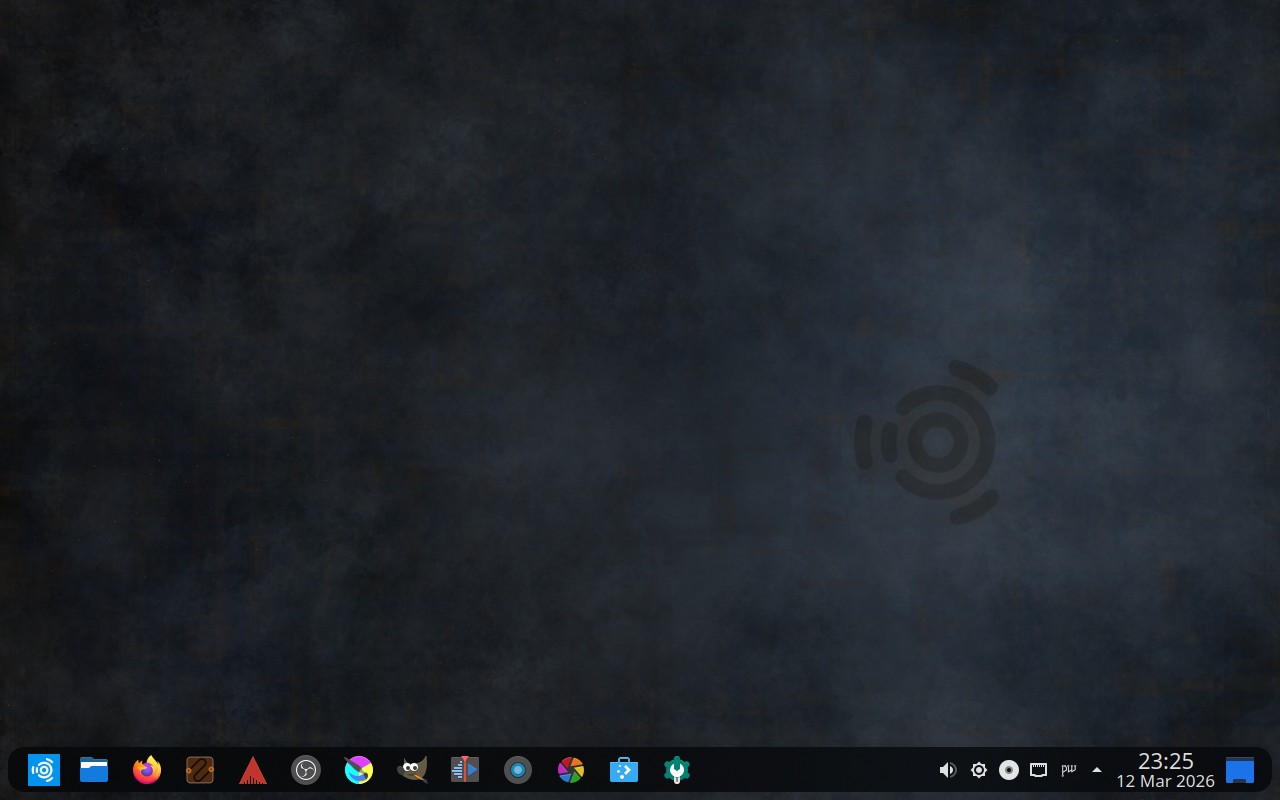
This release reflects months of development, packaging, design, testing, and community feedback, all focused on making Ubuntu Studio production-ready from first boot. Whether you record music, edit video, design graphics, or publish layouts, the goal is simple: stay out of your way and let your creativity lead. That shows up in practical improvements across this release, from desktop layout choice and modernized setup tools to updated defaults and day-to-day polish.
You can download Ubuntu Studio 26.04 LTS from the download page.
Why This LTS Is Special
You can trace a clear through-line across recent LTS cycles: 20.04 LTS was the last Xfce-based LTS and set up the desktop transition, 22.04 LTS stabilized the Plasma era, and 24.04 LTS introduced the new Subiquity/Flutter installer generation and PipeWire 1.0 maturity.
Ubuntu Studio 26.04 LTS builds on that foundation with practical workflow improvements instead of a single marquee feature: three selectable desktop layouts, fully rewritten Installer and Audio Configuration tools (Python with GTK4 and Qt6 frontends), and broader translation coverage.
It also brings forward ideas that were future-looking in earlier cycles, especially minimal-install flexibility and easier post-install workflow selection, while adding production-focused updates like FFADO support, easier PipeWire tuning, and new default additions such as Loopino and Plasma PipeWire Settings.
As with prior Ubuntu Studio LTS releases, this cycle carries a three-year support window, through April 2029.
Major Highlights
Three desktop layouts, one familiar home
This release includes three selectable desktop layouts:
The classic Ubuntu Studio top-panel layout
A macOS-like layout with global menu and dock
A Windows-like bottom-panel layout
Creators coming from different platforms get a familiar starting point and a faster path to feeling at home.
The default layout for new installs was selected by community vote. For background on the design direction, see Coming to 26.04 LTS: Three Layouts.
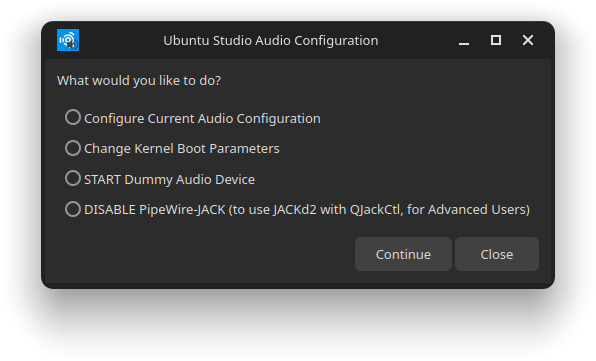
This is more than a visual refresh. Both tools were rebuilt from the ground up in Python with dual GTK4 and Qt6 frontends, and automatically select the interface that best matches your desktop environment.
Internationalization also took a major leap forward: both tools now include translations across 21 languages, helping more creators configure their systems comfortably in their preferred language.
Audio production gets more powerful
Ubuntu Studio Audio Configuration now includes built-in support for FFADO FireWire devices and simpler PipeWire tuning through menus instead of manual entry.
For musicians and engineers using professional FireWire interfaces, FFADO support improves compatibility with legacy-but-still-essential studio hardware without extra manual setup.
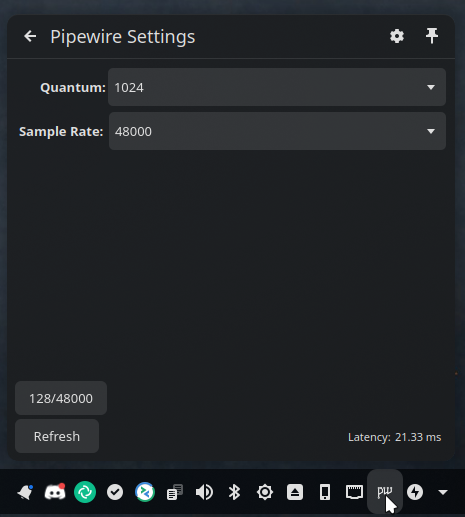
PipeWire sample-rate and buffer controls are now easier to access and adjust quickly, making low-latency tuning far more approachable for both new and experienced users.
Better defaults for creators
VLC is now the default media player, offering broad format compatibility and a familiar, dependable playback experience for day-to-day media review.
vmpk now replaces jack-keyboard, giving MIDI-focused users a more modern and flexible virtual keyboard workflow.
More quality-of-life improvements across the release
Beyond the headline features, this release includes several practical improvements that make daily use smoother:
Live sessions now inhibit lock screen/screensaver to prevent interruptions during testing or demos
SDDM and splash visuals were refined for a cleaner login and boot experience
Desktop menus include translation coverage improvements
Theme metadata updates improve Plasma 6 compatibility and consistency
Key workflow tools were substantially updated, including QPrompt, RaySession, and Patchance
New in 26.04 LTS
Three selectable desktop layouts with community-voted default
Rewritten Installer and Audio Configuration tools with expanded language support.
Improved audio workflow controls, including FFADO support and easier PipeWire tuning
New packages:
Loopino — A lightweight creative audio sampler with drag-and-drop sample loading, on-the-fly recording, a full ADSR envelope, filters, and effects. Available as a standalone application, CLAP plugin, and VST2 plugin, making it a flexible addition to any audio production workflow.
DistroAV — Formerly known as obs-ndi, DistroAV brings NDI (Network Audio/Video) support to OBS Studio, enabling high-quality, low-latency multi-track audio and video streaming over a local network. A natural fit for live streaming and networked A/V production setups. Not installed by default; install it by running sudo apt install distroav in a terminal.
snd-hdspe — An updated ALSA kernel driver for RME HDSPe PCIe sound cards (MADI, AES, RayDAT, AIO, and AIO Pro). This maintained fork of the original driver brings compatibility with newer kernels and expands hardware control through standard ALSA interfaces, giving professional RME users a reliable path forward. Not installed by default; if you have supported RME hardware, install it by running sudo apt install alsa-hdspe-dkms in a terminal.
Plasma PipeWire Settings — A KDE Plasma 6 panel widget for adjusting PipeWire quantum and sample rate on the fly, without touching configuration files. It is included by default and shown in the system tray by default, pairing with Ubuntu Studio Audio Configuration so the most common adjustments are always within reach.
Plasma Window Title Applet — A Plasma 6 panel applet that displays the active window title. Used in the macOS-like desktop layout to complete the global-menu experience.
Notable package changes:
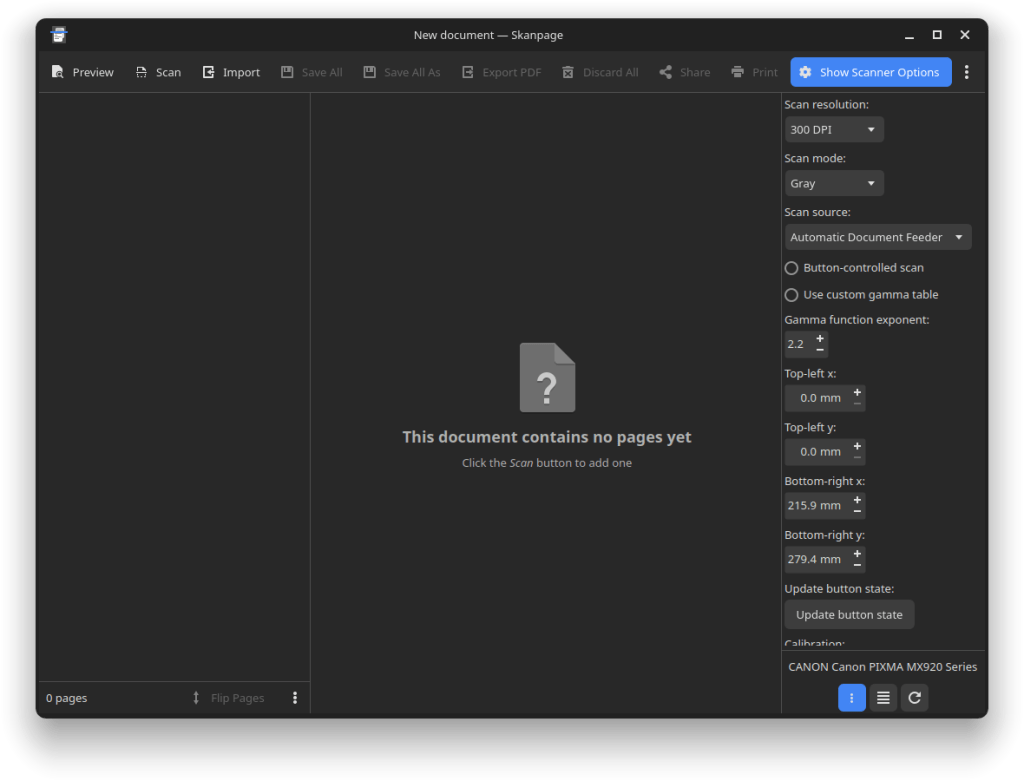
Skanpage replaces Skanlite for scanning, offering multi-page document scanning and straightforward saving to common formats.
rubberband-lv2 replaces rubberband-ladspa, providing high-quality time-stretching and pitch-shifting as an LV2 plugin aligned with the broader move away from LADSPA.
Minimal installation workflow with modular post-install creative tool selection
Quality-of-life polish across live session behavior, translations, and desktop consistency
Minimal Install: Your Studio, Your Way
One topic we often see in community discussions is package “bloat”: some users want everything preinstalled, while others prefer to start lean and add tools only as needed.
Both approaches are fully supported.
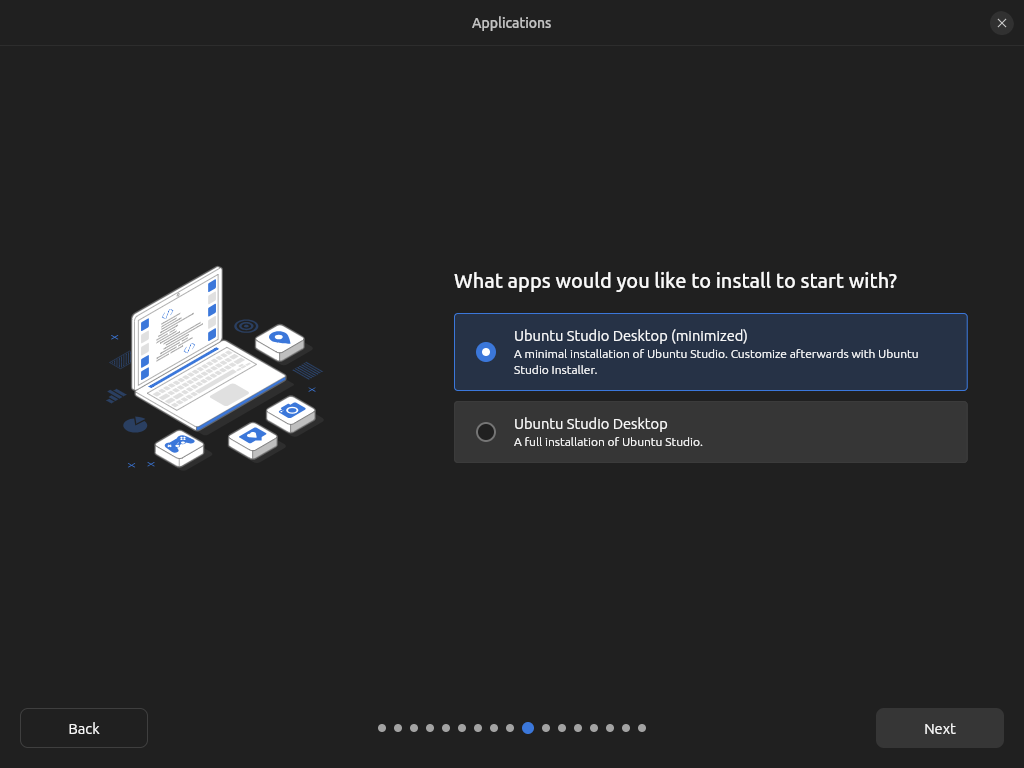
If you want a lightweight starting point, choose the minimal install option during installation. This option has been available since 24.10. You will get the Ubuntu Studio desktop experience, theming, and core configuration, then add only the workflows you want using Ubuntu Studio Installer (audio, video, graphics, photography, and publishing).
If you want a complete creative workstation out of the box, the full install remains available.
You can also start from any official Ubuntu flavor and add Ubuntu Studio workflows without reinstalling.
Special Notes
The Ubuntu Studio 26.04 LTS disk image (ISO) exceeds 4 GB and cannot be reliably written to some file systems such as FAT32, and may not be readable when burned to a standard DVD.
Ubuntu Studio 26.04 LTS ships with a strong cross-discipline toolkit for creators working in audio, video, graphics, and publishing.
Highlights include:
Blender 5.0.1
Kdenlive 25.12.3
Krita 6.0.1
GIMP 3.2.2
Ardour 9.0.0
OBS Studio 32.1.0
For the complete software version list and source package references, see the release notes.
Whether your work is audio engineering, filmmaking, digital painting, motion graphics, podcasting, or publishing, the full Ubuntu Studio stack is ready to support it.
Upgrade Notes
Upgrades from Ubuntu Studio 25.10 are expected to be enabled shortly after release. Upgrades from Ubuntu Studio 24.04 LTS are expected to be enabled with the release of 26.04.1 LTS in August 2026.
Detailed upgrade instructions are available in the release notes.
Known Issues
Ubuntu Studio shares KDE Plasma and core Ubuntu components with other Ubuntu flavors. Some known issues overlap with Kubuntu and Ubuntu:
Additionally, on first login for a newly created user, a reboot prompt for applying audio-production group configuration is expected behavior (tracked at Launchpad bug #2063899).
Thank You
Ubuntu Studio is built by a volunteer community of developers, testers, artists, translators, documenters, and users. Thank you to everyone who tested pre-releases, reported bugs, submitted improvements, and helped shape this LTS.
In Memory of Steve Langasek
We want to give special recognition to Steve Langasek, who passed away in January 2025.
Known to many as vorlon, Steve’s impact on Ubuntu, Debian, Ubuntu Studio, and the wider Linux community is difficult to overstate. His work, guidance, and support helped countless contributors and projects over many years.
In Ubuntu community tributes, he has been remembered as “a great mind, mentor and conscience.” If you have not read it yet, Remembering and thanking Steve Langasek is a powerful reflection on his legacy.
For this cycle in particular, Steve was responsible for the codename “Resolute Raccoon,” as noted during the community codename activity at Guess the release 26.04 – R. We are honored to carry that name in this release and dedicate this moment of thanks to his memory.
Contributors
Special thanks this cycle go to many familiar contributors from prior releases, including:
Eylul Dogruel: artwork and visual design
Ross Gammon: upstream Debian development and testing
Sebastien Ramacher: upstream Debian development
Dennis Braun: upstream Debian development
Rik Mills: Plasma and Kubuntu collaboration
Scarlett Moore: Plasma and Kubuntu collaboration
Aaron Rainbolt: Plasma and Kubuntu collaboration
Michael Mikowski: Plasma and Kubuntu collaboration
Len Ovens: testing and workflow insight, support and help
Mauro Gaspari: tutorials, promotion, and documentation
Utkarsh Gupta: Ubuntu Release Team support and collaboration
Florent “Skia” Jacquet: Ubuntu Release Team support and collaboration
Michael Hudson-Doyle: Ubuntu Release Team support and collaboration
Erich Eickmeyer: project leadership, packaging, and direction
And to everyone in the Ubuntu Studio community: thank you for your trust, your feedback, your patience, and your passion.
Support Ubuntu Studio
Ubuntu Studio is built by volunteers, but volunteer work still comes with real costs.
As outlined in Ubuntu Studio Needs Donations, the project is now covering additional monthly expenses due to a web hosting provider change. This release cycle also included a large amount of development work, including fixing long-standing bugs and rewriting both Ubuntu Studio Installer and Ubuntu Studio Audio Configuration from the ground up.
If Ubuntu Studio helps your creative work, your teaching, your studio, or your community, please consider supporting the project financially. Donations help keep the infrastructure running and make it easier to keep improving the tools, packaging, and user experience that go into each release.
Ubuntu Studio is a community project driven by volunteers. If you would like to contribute your time through packaging, documentation, testing, user support, or promotion, we would love your help:
The Ubuntu Studio team is pleased to announce the beta release of Ubuntu Studio 26.04 LTS, codenamed “Resolute Raccoon”.
While this beta is reasonably free of any showstopper installer bugs, you will find some bugs within. This image is, however, mostly representative of what you will find when Ubuntu Studio 26.04 LTS is released on April 17, 2026.
As an LTS release, Ubuntu Studio 26.04 will be supported for 3 years until April 2029. We encourage everyone to try this image and report bugs to improve our final release.
Special Notes
The Ubuntu Studio 26.04 LTS disk image (ISO) exceeds 4 GB and cannot be downloaded to some file systems such as FAT32 and may not be readable when burned to a DVD. For this reason, we recommend downloading to a compatible file system. When creating a boot medium, we recommend creating a bootable USB stick with the ISO image or burning to a Dual-Layer DVD.
Full updated information, including Upgrade Instructions, are available in the Release Notes.
Please note that upgrading from 24.04 LTS before the release of 26.04.1, due August 2026, is unsupported.
Only Install What You Need
A common piece of feedback we hear is that people prefer to start with a lean base and install only the tools they actually use, rather than getting an overwhelming number of pre-installed packages. We hear you.
Ubuntu Studio includes a minimal install option in the installer, and has since 24.10! This gives you the Ubuntu Studio desktop experience: the theme, the audio configuration and the optimized settings without the full suite of creative applications. From there, you can use Ubuntu Studio Installer to add exactly the workflows you want: audio, graphics, video, photography, or publishing; à la carte.
Alternatively, if you’re already running Kubuntu, Ubuntu, Lubuntu, Xubuntu, or any other official Ubuntu flavor, you don’t have to reinstall at all. Just install the Ubuntu Studio Installer package and pick the components you need. This has always been an option, but we want to make sure everyone knows about it.
The full install remains available for those who want a complete creative workstation out of the box, and that’s a perfectly valid choice too.
New Features This Release
This is an LTS release, which means stability and polish have been the primary focus. That said, there’s a lot that’s new and improved since 24.04 LTS.
Three Desktop Layouts: As previously announced, Ubuntu Studio 26.04 LTS now ships with three selectable desktop layouts: the classic Ubuntu Studio top panel, a macOS-like layout with a global menu and bottom dock, and a new Windows 10-like bottom panel layout. This gives users coming from any platform a familiar starting point.
By Popular Vote: Our community decided in a vote on Ubuntu Discourse to make the bottom panel (traditional) layout the default. The classic top panel remains as an alternate look-and-feel theme.
Ubuntu Studio Installer and Audio Configuration completely rewritten: Both tools have been rewritten from scratch in Python with dual GTK4 and Qt6 UI backends. The application automatically detects your desktop environment and launches the appropriate interface. Ubuntu Studio Audio Configuration now includes FFADO support for FireWire audio devices and PipeWire buffer/sample-rate configuration via dropdown menus instead of text entry. Both tools include translations for 21 languages.
New Borealis sound theme replaces the Ocean sound theme. This is the sound theme Ubuntu Studio used clear back in the early (7.10 Gutsy Gibbon) days, and now it’s back!
Live session improvements: The screensaver and lock screen are now inhibited during the entire live session, fixing a long-standing annoyance where the screen would lock and prompt for a non-existent password.
Loopino is a new lightweight audio sampler plugin (LV2/CLAP/VST2) for loading, trimming, and looping audio files with drag-and-drop support and on-the-fly recording.
Plasma PipeWire Settings is a new Plasma applet for managing PipeWire configuration directly from the system tray.
snd-hdspe is a new DKMS kernel driver for RME HDSPe MADI, AES, RayDAT, AIO, and AIO Pro PCIe sound cards, available in the repositories for those who need it.
DistroAV (formerly OBS-NDI) is now available in the repositories for network audio/video in OBS Studio using NDI technology.
PipeWire continues to improve with every release and remains the default audio server.
Major Package Upgrades
OBS Studio version 32.1.0
FreeShow version 1.5.9 (snap)
QPrompt version 2.0.1
RaySession version 0.17.4
Patchance version 1.3.2
Geonkick version 3.7.0
BChoppr version 1.12.8
harpwise version 6.34.4
blender version 5.0.1
There are many other improvements, too numerous to list here. We encourage you to look around the freely-downloadable ISO image.
Known Issues
There is a minor cosmetic issue in the splash screen when transitioning from the install session to the live desktop session when running the .iso image in that it shows the default KDE Plasma splash as opposed to the Ubuntu Studio splash. This does not occur after installation, and is corrected in later builds.
Additionally, we need financial contributions. Our project lead, Erich Eickmeyer, is working long hours on this project and trying to generate a part-time income. Go here to see how you can contribute financially (options are also in the sidebar).
Frequently Asked Questions
Q: Does Ubuntu Studio contain snaps? A: Yes. Mozilla’s distribution agreement with Canonical changed, and Ubuntu was forced to no longer distribute Firefox in a native .deb package. We have found that, after numerous improvements, Firefox now performs just as well as the native .deb package did.
Thunderbird is also a snap in order for the maintainers to get security patches delivered faster. This is done by the Thunderbird team in cooperation with Canonical.
Additionally, FreeShow is an Electron-based application. Electron-based applications cannot be packaged in the Ubuntu repositories in that they cannot be packaged in a traditional Debian source package. While such apps do have a build system to create a .deb binary package, it circumvents the source package build system in Launchpad, which is required when packaging for Ubuntu. However, Electron apps also have a facility for creating snaps, which can be uploaded and included. Therefore, for FreeShow to be included in Ubuntu Studio, it had to be packaged as a snap.
Also, to keep theming consistent, all included themes are snapped in addition to the included .deb versions so that snaps stay consistent with our themes.
We are working with Canonical to make sure that the quality of snaps goes up with each release, so we please ask that you give snaps a chance instead of writing them off completely.
Q: If I install this Beta release, will I have to reinstall when the final release comes out? A: No. If you keep it updated, your installation will automatically become the final release.
Q: Will you make an ISO with {my favorite desktop environment}? A: To do so would require creating an entirely new flavor of Ubuntu, which would require going through the Official Ubuntu Flavor application process. Since we’re completely volunteer-run, we don’t have the time or resources to do this. Instead, we recommend you download the official flavor for the desktop environment of your choice and use Ubuntu Studio Installer to get Ubuntu Studio — which does not convert that flavor to Ubuntu Studio but adds its benefits.
Q: What if I don’t want all these packages installed on my machine? A: See the “Only Install What You Need” section above. Use the minimal install option and then add only the workflows you want with Ubuntu Studio Installer.
As of January 15, 2025, all flavors of Ubuntu 25.04, including Ubuntu Studio 25.04, codenamed “Plucky Puffin”, have reached end-of-life (EOL). There will be no more updates of any kind, including security updates, for this release of Ubuntu.
If you have not already done so, please upgrade to Ubuntu Studio 25.10 via the instructions provided here. If you do not do so as soon as possible, you will lose the ability without additional advanced configuration.
No single release of any operating system can be supported indefinitely, and Ubuntu Studio has no exception to this rule.
Interim Ubuntu releases, meaning those that are between the Long-Term Support releases, are supported for 9 months and users are expected to upgrade after every release with a 3-month buffer following each release.
Long-Term Support releases are identified by an even numbered year-of-release and a month-of-release of April (04). Hence, the most recent Long-Term Support release is 24.04 (YY.MM = 2024.April), and the next Long-Term Support release will be 26.04 (2026.April). LTS releases for official Ubuntu flavors (not Desktop or Server which are supported for five years) are three years, meaning LTS users are expected to upgrade after every LTS release with a one-year buffer.