As should be obvious from browsing our website for any amount of time, Ubuntu Studio releases a Long-Term Support (LTS) release every two years. The latest LTS release happens to be our latest release: 26.04. What’s more is we just released 26.04.1, a roll-up of bugfixes and security updates, on August 27th.
Also announced is the “Butllet-Proof” KDE Initiative, where Kubuntu Focus, Techpaladin Software, and KDE e.V. are working together to make Plasma 6.6, along with KDE Frameworks, an LTS release as well. This means that Techpaladin, Kubuntu, and Kubuntu Focus will be working to fix bugs in the version of the desktop environment and back-end libraries released in Ubuntu Studio 26.04 LTS. This means that, while Kubuntu will be primarily working on the Stable Release Updates as provided by KDE, Ubuntu Studio uses the same packages that get these updates.
Our project leader, Erich Eickmeyer, has been doing what he can to help support Kubuntu with this task from his side, while the Ubuntu Studio team (including Erich) focuses on bug fixes to the multimedia applications included with their own Stable Release Updates for the life of 26.04, which is three years total until April 2029.
That, combined with Ubuntu Pro (free for every user up to 5 simultaneous machines) means you will not only receive bugfixes better than in the past, which was done at best effort, but also benefit from the security updates provided by Canonical. Yes, even Ubuntu Studio can use Ubuntu Pro. Do note that Ubuntu Pro will not extend the support time period for Ubuntu Studio, but give the added benefit of sponsored security updates.
If you would like to help with everything Ubuntu Studio has going on, from supporting the LTS to supporting the upcoming 26.10 release due in October, please feel free to join us!
Additionally, while there was an initial jump in monetary support following the 26.04 LTS release, it has dropped-off considerably. Please consider becoming a monthly monetary contributor to help support this project. Remember, our website now has a monthly cost along with the usual cost of packaging and development. If you cannot commit to a monthly monetary contribution, please consider at least a one-time contribution, even if you’ve given before. Even if it’s just a tank of petrol! For those already giving, thank you so much for your continued support. It means the world to us, and allows us to continue giving you and others this operating system for free! You’ve helped countless people throughout the world!
Ubuntu Studio’s web presence has been spread across several Canonical-hosted systems for a long time: the main website on an old Canonical web server, the Ubuntu Community Help Wiki at help.ubuntu.com/community/UbuntuStudio, and the Ubuntu Developer Wiki at wiki.ubuntu.com/UbuntuStudio. Those platforms served their purpose, but each had become a poor fit for how the project actually works today.
What’s Moving
The main Ubuntu Studio website has already moved away from Canonical hosting and onto its current home. That move was driven by necessity: Canonical shut down the old web server that had hosted the site, so Ubuntu Studio needed a new home for its primary web presence. This has been a mostly transparent process and most users would never have noticed a difference.
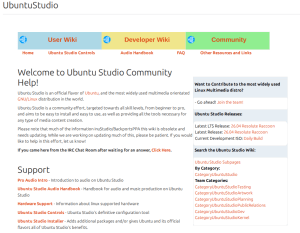
The Community Help Wiki — the place where users have always gone to find answers about audio configuration, hardware support, the Audio Handbook, and getting started with Ubuntu Studio — is being mirrored and maintained directly on ubuntustudio.org at /help/. Every page you’re used to is coming with us: the Pro Audio Intro, the Ubuntu Studio Audio Handbook and all its chapters, the FAQ, hardware support information, terminal basics, troubleshooting guides, and community information. Most of this is outdated now, and we need help to bring it up to modernization.
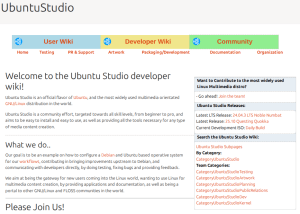
The Developer Wiki — home to the team’s internal processes, release planning, testing documentation, artwork resources, and packaging and development notes — is moving to ubuntustudio.org at /wiki/. The full section structure is preserved: Testing, PR & Support, Artwork, Packaging/Development, Documentation, and Organization are all there. This information is also outdated.
Why Now
The website move and the wiki move do not have exactly the same origin.
For the main website, the trigger was straightforward: Canonical shut down the old web server that hosted it. Ubuntu Studio had to move the site in order to keep a public home on the web.
For the help and developer wikis, the issue was the editing experience and maintenance burden. The old MoinMoin-based wiki workflow is cumbersome, slow, and awkward to work with. Its markup is not standard Markdown, which makes editing, reviewing, and migrating content more difficult than it should be. Over time, that friction made it harder to keep pages current, fix outdated instructions, and encourage casual contributors to improve documentation.
Meanwhile, ubuntustudio.org has been running on WordPress for some time, and the team has been using GitHub for development work. By routing our documentation through a GitHub repository — using the Git it Write plugin to publish markdown directly to WordPress — we get something we’ve never really had before: a documentation workflow that fits naturally alongside our other development work. Pull requests, issue tracking, version history, and a low barrier to entry for new contributors all come with it.
What This Means for Contributors
If you’ve ever wanted to fix something on the old wiki and been put off by the process, this is your opening. The content lives in a public GitHub repository. Find the file, fix the text, open a pull request. That’s it.
The content is organized into buckets that map to the old wiki structure:
help/content/support/ — support pages (FAQ, hardware, audio configuration, etc.)
help/content/handbook/ — the Audio Handbook and Pro Audio Intro
help/content/community/ — IRC, mailing lists, joining the team
help/content/reference/ — resources, links, wiki guide
wiki/content/ubuntu-studio/ — developer wiki pages
If you’re editing a page that has outdated information, and there’s plenty of it, particularly around the old PulseAudio/JACK workflow that predates PipeWire — this is the place to update it.
What Isn’t Changing
The old wiki pages at help.ubuntu.com and wiki.ubuntu.com aren’t going anywhere immediately. Canonical maintains those as part of Ubuntu infrastructure, and they’ll continue to exist. Our goal isn’t to break any existing bookmarks or search results, it’s to have a home where we can keep things current.
We’re also not rewriting the documentation wholesale. The content of the mirrored pages is as faithful to the originals as it can be, with updates where the old guidance referred to software or workflows that no longer apply to current Ubuntu Studio releases.
The Ubuntu Studio team is pleased to announce the beta release of Ubuntu Studio 26.04 LTS, codenamed “Resolute Raccoon”.
While this beta is reasonably free of any showstopper installer bugs, you will find some bugs within. This image is, however, mostly representative of what you will find when Ubuntu Studio 26.04 LTS is released on April 17, 2026.
As an LTS release, Ubuntu Studio 26.04 will be supported for 3 years until April 2029. We encourage everyone to try this image and report bugs to improve our final release.
Special Notes
The Ubuntu Studio 26.04 LTS disk image (ISO) exceeds 4 GB and cannot be downloaded to some file systems such as FAT32 and may not be readable when burned to a DVD. For this reason, we recommend downloading to a compatible file system. When creating a boot medium, we recommend creating a bootable USB stick with the ISO image or burning to a Dual-Layer DVD.
Full updated information, including Upgrade Instructions, are available in the Release Notes.
Please note that upgrading from 24.04 LTS before the release of 26.04.1, due August 2026, is unsupported.
Only Install What You Need
A common piece of feedback we hear is that people prefer to start with a lean base and install only the tools they actually use, rather than getting an overwhelming number of pre-installed packages. We hear you.
Ubuntu Studio includes a minimal install option in the installer, and has since 24.10! This gives you the Ubuntu Studio desktop experience: the theme, the audio configuration and the optimized settings without the full suite of creative applications. From there, you can use Ubuntu Studio Installer to add exactly the workflows you want: audio, graphics, video, photography, or publishing; à la carte.
Alternatively, if you’re already running Kubuntu, Ubuntu, Lubuntu, Xubuntu, or any other official Ubuntu flavor, you don’t have to reinstall at all. Just install the Ubuntu Studio Installer package and pick the components you need. This has always been an option, but we want to make sure everyone knows about it.
The full install remains available for those who want a complete creative workstation out of the box, and that’s a perfectly valid choice too.
New Features This Release
This is an LTS release, which means stability and polish have been the primary focus. That said, there’s a lot that’s new and improved since 24.04 LTS.
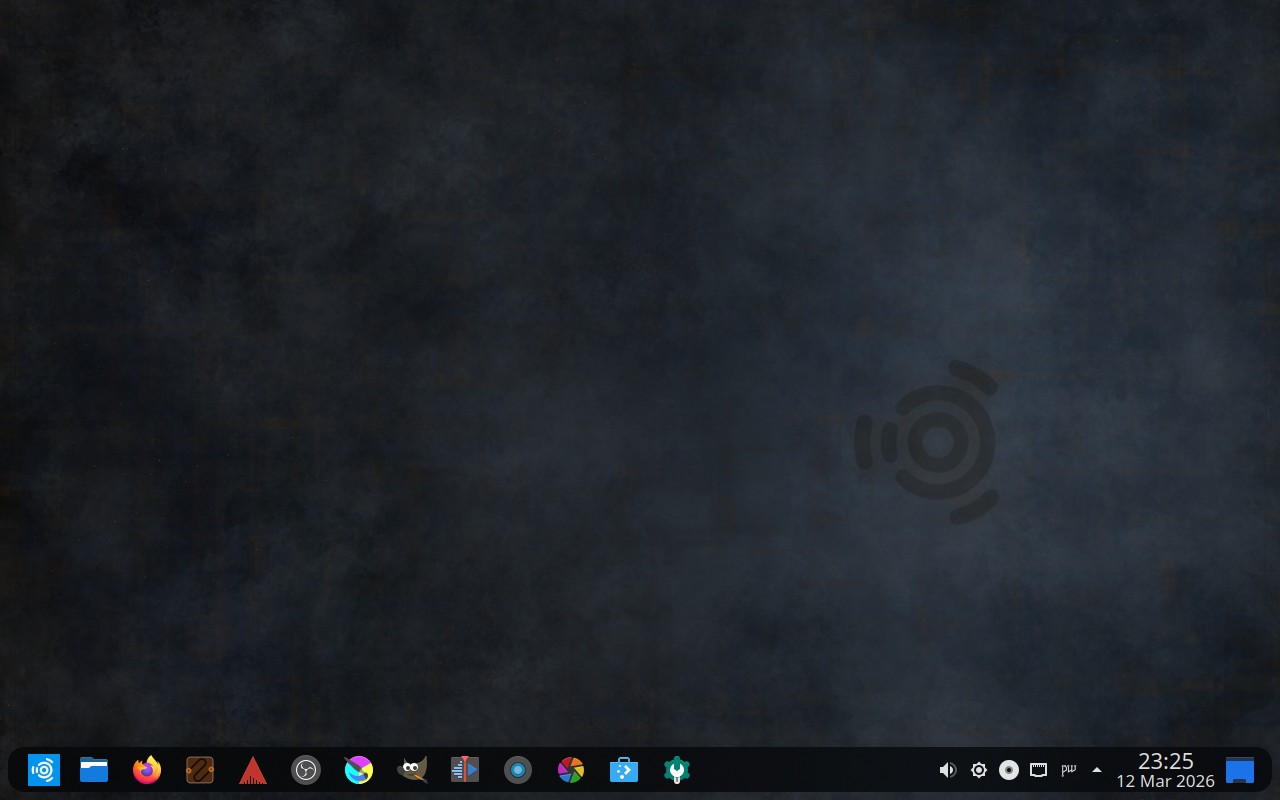
Three Desktop Layouts: As previously announced, Ubuntu Studio 26.04 LTS now ships with three selectable desktop layouts: the classic Ubuntu Studio top panel, a macOS-like layout with a global menu and bottom dock, and a new Windows 10-like bottom panel layout. This gives users coming from any platform a familiar starting point.
By Popular Vote: Our community decided in a vote on Ubuntu Discourse to make the bottom panel (traditional) layout the default. The classic top panel remains as an alternate look-and-feel theme.
Ubuntu Studio Installer and Audio Configuration completely rewritten: Both tools have been rewritten from scratch in Python with dual GTK4 and Qt6 UI backends. The application automatically detects your desktop environment and launches the appropriate interface. Ubuntu Studio Audio Configuration now includes FFADO support for FireWire audio devices and PipeWire buffer/sample-rate configuration via dropdown menus instead of text entry. Both tools include translations for 21 languages.
New Borealis sound theme replaces the Ocean sound theme. This is the sound theme Ubuntu Studio used clear back in the early (7.10 Gutsy Gibbon) days, and now it’s back!
Live session improvements: The screensaver and lock screen are now inhibited during the entire live session, fixing a long-standing annoyance where the screen would lock and prompt for a non-existent password.
Loopino is a new lightweight audio sampler plugin (LV2/CLAP/VST2) for loading, trimming, and looping audio files with drag-and-drop support and on-the-fly recording.
Plasma PipeWire Settings is a new Plasma applet for managing PipeWire configuration directly from the system tray.
snd-hdspe is a new DKMS kernel driver for RME HDSPe MADI, AES, RayDAT, AIO, and AIO Pro PCIe sound cards, available in the repositories for those who need it.
DistroAV (formerly OBS-NDI) is now available in the repositories for network audio/video in OBS Studio using NDI technology.
PipeWire continues to improve with every release and remains the default audio server.
Major Package Upgrades
OBS Studio version 32.1.0
FreeShow version 1.5.9 (snap)
QPrompt version 2.0.1
RaySession version 0.17.4
Patchance version 1.3.2
Geonkick version 3.7.0
BChoppr version 1.12.8
harpwise version 6.34.4
blender version 5.0.1
There are many other improvements, too numerous to list here. We encourage you to look around the freely-downloadable ISO image.
Known Issues
There is a minor cosmetic issue in the splash screen when transitioning from the install session to the live desktop session when running the .iso image in that it shows the default KDE Plasma splash as opposed to the Ubuntu Studio splash. This does not occur after installation, and is corrected in later builds.
Additionally, we need financial contributions. Our project lead, Erich Eickmeyer, is working long hours on this project and trying to generate a part-time income. Go here to see how you can contribute financially (options are also in the sidebar).
Frequently Asked Questions
Q: Does Ubuntu Studio contain snaps? A: Yes. Mozilla’s distribution agreement with Canonical changed, and Ubuntu was forced to no longer distribute Firefox in a native .deb package. We have found that, after numerous improvements, Firefox now performs just as well as the native .deb package did.
Thunderbird is also a snap in order for the maintainers to get security patches delivered faster. This is done by the Thunderbird team in cooperation with Canonical.
Additionally, FreeShow is an Electron-based application. Electron-based applications cannot be packaged in the Ubuntu repositories in that they cannot be packaged in a traditional Debian source package. While such apps do have a build system to create a .deb binary package, it circumvents the source package build system in Launchpad, which is required when packaging for Ubuntu. However, Electron apps also have a facility for creating snaps, which can be uploaded and included. Therefore, for FreeShow to be included in Ubuntu Studio, it had to be packaged as a snap.
Also, to keep theming consistent, all included themes are snapped in addition to the included .deb versions so that snaps stay consistent with our themes.
We are working with Canonical to make sure that the quality of snaps goes up with each release, so we please ask that you give snaps a chance instead of writing them off completely.
Q: If I install this Beta release, will I have to reinstall when the final release comes out? A: No. If you keep it updated, your installation will automatically become the final release.
Q: Will you make an ISO with {my favorite desktop environment}? A: To do so would require creating an entirely new flavor of Ubuntu, which would require going through the Official Ubuntu Flavor application process. Since we’re completely volunteer-run, we don’t have the time or resources to do this. Instead, we recommend you download the official flavor for the desktop environment of your choice and use Ubuntu Studio Installer to get Ubuntu Studio — which does not convert that flavor to Ubuntu Studio but adds its benefits.
Q: What if I don’t want all these packages installed on my machine? A: See the “Only Install What You Need” section above. Use the minimal install option and then add only the workflows you want with Ubuntu Studio Installer.
A lot of people have asked us why Ubuntu Studio comes with a panel on top as the default. For that, it’s a simple answer: Legacy.
When Ubuntu Studio 12.04 LTS (Precise Pangolin) released over 13 years ago, it was released with a top panel by default as that was the default for our desktop envirionment: Xfce.
Fast-forward eight years to 20.10 and Xfce was no longer our default desktop environment: we had switched to KDE’s Plasma Desktop. Plasma has a bottom panel by default, similar to Windows. However, to ease the transition for our long-time users, we kept the panel on top by default, resizing it to be similar to the default top panel of Xfce.
A macOS-Like Layout
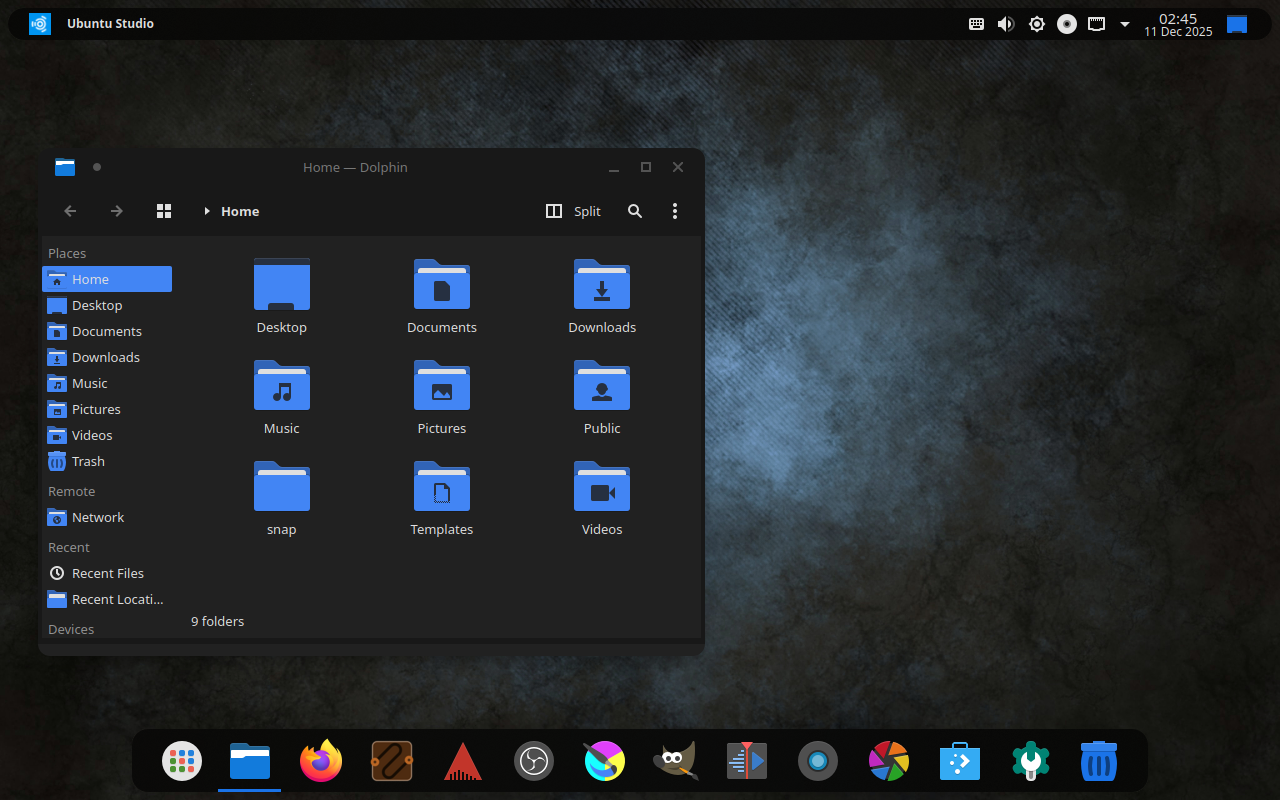
With 25.10’s release, we included an additional layout: two panels. One panel is on top with a global menu, and the bottom contains some default applications, a trash can, and a full-screen application launcher. This is a way to feel familiar to those with a similar layout from where they may be coming from, being an operating system for creativity: macOS.
Familiarity and Traditionalism: Windows-like Layout
Starting with 26.04 LTS, we’ll also include one more layout: a bottom, Windows 10-like layout. This is to ease the transition for those coming from Windows, and due to popular request and reports.
Should We Change The Default?
It has been 13 years since we defaulted to a top panel, but is that the right idea anymore?
Right now, on the Ubuntu Discourse, we have a poll to decide if we should change the default layout starting with 26.04 LTS. This will not affect layouts for anyone upgrading from a prior release, but only new installations or new users going forward.
The Ubuntu Studio team is pleased to announce the beta release of Ubuntu Studio 25.10, codenamed “Questing Quokka”.
While this beta is reasonably free of any showstopper installer bugs, you will find some bugs within. This image is, however, mostly representative of what you will find when Ubuntu Studio 25.10 is released on October 9, 2025.
We encourage everyone to try this image and report bugs to improve our final release. Pay specific attention to apps that might need to be forced to run inside Xwayland so we can patch their launchers.
Special Notes
The Ubuntu Studio 25.10 beta image (ISO) exceeds 4 GB and cannot be downloaded to some file systems such as FAT32 and may not be readable when burned to a DVD. For this reason, we recommend downloading to a compatible file system. When creating a boot medium, we recommend creating a bootable USB stick with the ISO image or burning to a Dual-Layer DVD.
Full updated information, including Upgrade Instructions, are available in the Release Notes.
New Features This Release
This release is more evolutionary rather than revolutionary. While we work hard to bring new features, this one was not one where we had anything major to report. Here are a few highlights:
Plasma 6.4 is now the default desktop environment, an upgrade from Plasma 6.1.
PipeWire continues to improve with every release.. Version 1.4.7
We now include an optional “macOS-like” layout for our users migrating from macOS, which features a dock at the bottom and a global menu. Do note that the global menu doesn’t work with all applications.
More fine-tuning of options available in Ubuntu Studio Audio Configuraiton
Many options in Ubuntu Studio Audio Configuration are now at the user level as opposed to the system level.
JackTrip has been added for those needing a GUI way to network audio between computers or collaborate remotely. version 2.7.1
Major Package Upgrades
Qtractor version 1.5.8
Audacity version 3.7.5
digiKam version 8.7.0
Kdenlive version 25.08.1
Krita version 5.2.11
GIMP version 3.0.4
There are many other improvements, too numerous to list here. We encourage you to look around the freely-downloadable ISO image.
Additionally, we need financial contributions. Our project lead, Erich Eickmeyer, is working long hours on this project and trying to generate a part-time income. Go here to see how you can contribute financially (options are also here in the sidebar).
Frequently Asked Questions
Q: Does Ubuntu Studio contain snaps? A: Yes. Mozilla’s distribution agreement with Canonical changed, and Ubuntu was forced to no longer distribute Firefox in a native .deb package. We have found that, after numerous improvements, Firefox now performs just as well as the native .deb package did.
Thunderbird is also a snap in order for the maintainers to get security patches delivered faster. This is done by the Thunderbird team in cooperation with Canonical.
Additionally, Freeshow is an Electron-based application. Electron-based applications cannot be packaged in the Ubuntu repositories in that they cannot be packaged in a traditional Debian source package. While such apps do have a build system to create a .deb binary package, it circumvents the source package build system in Launchpad, which is required when packaging for Ubuntu. However, Electron apps also have a facility for creating snaps, which can be uploaded and included. Therefore, for Freeshow to be included in Ubuntu Studio, it had to be packaged as a snap.
Also, to keep theming consistent, all included themes are snapped in addition to the included .deb versions so that snaps stay consistent with out themes.
We are working with Canonical to make sure that the quality of snaps goes up with each release, so we please ask that you give snaps a chance instead of writing them off completely.
Q: If I install this Beta release, will I have to reinstall when the final release comes out? A: No. If you keep it updated, your installation will automatically become the final release.
Q: Will you make an ISO with {my favorite desktop environment}? A: To do so would require creating an entirely new flavor of Ubuntu, which would require going through the Official Ubuntu Flavor application process. Since we’re completely volunteer-run, we don’t have the time or resources to do this. Instead, we recommend you download the official flavor for the desktop environment of your choice and use Ubuntu Studio Installer to get Ubuntu Studio – which does *not* convert that flavor to Ubuntu Studio but adds its benefits.
Q: What if I don’t want all these packages installed on my machine? A: We now include a minimal install option. Install using the minimal install option, then use Ubuntu Studio Installer to install what you need for your very own content creation studio.
The Ubuntu Studio team is pleased to announce the beta release of Ubuntu Studio 25.04, codenamed “Plucky Puffin”.
While this beta is reasonably free of any showstopper installer bugs, you will find some bugs within. This image is, however, mostly representative of what you will find when Ubuntu Studio 25.04 is released on April 17, 2025.
We encourage everyone to try this image and report bugs to improve our final release.
Special Notes
The Ubuntu Studio 25.04 image (ISO) exceeds 4 GB and cannot be downloaded to some file systems such as FAT32 and may not be readable when burned to a DVD. For this reason, we recommend downloading to a compatible file system. When creating a boot medium, we recommend creating a bootable USB stick with the ISO image or burning to a Dual-Layer DVD.
Full updated information, including Upgrade Instructions, are available in the Release Notes.
New Features This Release
This release is more evolutionary rather than revolutionary. While we work hard to bring new features, this one was not one where we had anything major to report. Here are a few highlights:
Plasma 6.3 is now the default desktop environment, an upgrade from Plasma 6.1.
PipeWire continues to improve with every release.. Version 1.2.7
The Default Panel Icons are now back. The default panel now populates depending on which applications are available, so that there are never empty icons if you choose the minimal install, and then install one or more of our featured applications. This refresh to the default is done every reboot, so it’s not a live update. Additionally, it must be refreshed manually from the User side either by selecting the Global Theme or removing the panel and adding “Ubuntu Studio Default Panel”.
While not included in this Beta, Darktable will be upgraded to 5.0.0 before final release.
Major Package Upgrades
Ardour version 8.12.0
Qtractor version 1.5.3
Audacity version 3.7.3
digiKam version 8.5.0
Kdenlive version 24.12.3
Krita version 5.2.9
GIMP version 3.0.0
There are many other improvements, too numerous to list here. We encourage you to look around the freely-downloadable ISO image.
Known Issues
The installer was supposed to be able to keep the screen from locking, but this will still happen after 15 minutes. Please keep the screen active during installation. As a workaround if you know you will be keeping your machine unattended during installation, press Alt-Space to invoke Krunner (this even works from the Install Ubuntu Studio versus the Try Ubuntu Studio live environment) and type “System Settings”. From there, search for “Screen Locking” and deactivate “Lock automatically after…”.
Another possible workaround is to click on “Switch User” and then re-login as “Live User” without a password if this happens.
The Installer background and slideshow still show the Oracular Oriole mascot. This is work in progress, to be fixed in a daily release sometime between now and final release.
Additionally, we need financial contributions. Our project lead, Erich Eickmeyer, is working long hours on this project and trying to generate a part-time income. Go here to see how you can contribute financially (options are also in the sidebar).
Frequently Asked Questions
Q: Does Ubuntu Studio contain snaps? A: Yes. Mozilla’s distribution agreement with Canonical changed, and Ubuntu was forced to no longer distribute Firefox in a native .deb package. We have found that, after numerous improvements, Firefox now performs just as well as the native .deb package did.
Thunderbird is also a snap this cycle in order for the maintainers to get security patches delivered faster.
Additionally, Freeshow is an Electron-based application. Electron-based applications cannot be packaged in the Ubuntu repositories in that they cannot be packaged in a traditional Debian source package. While such apps do have a build system to create a .deb binary package, it circumvents the source package build system in Launchpad, which is required when packaging for Ubuntu. However, Electron apps also have a facility for creating snaps, which can be uploaded and included. Therefore, for Freeshow to be included in Ubuntu Studio, it had to be packaged as a snap.
Also, to keep theming consistent, all included themes are snapped in addition to the included .deb versions so that snaps stay consistent with out themes.
We are working with Canonical to make sure that the quality of snaps goes up with each release, so we please ask that you give snaps a chance instead of writing them off completely.
Q: If I install this Beta release, will I have to reinstall when the final release comes out? A: No. If you keep it updated, your installation will automatically become the final release. However, if Audacity returns to the Ubuntu repositories before final release, then you might end-up with a double-installation of Audacity. Removal instructions of one or the other will be made available in a future post.
Q: Will you make an ISO with {my favorite desktop environment}? A: To do so would require creating an entirely new flavor of Ubuntu, which would require going through the Official Ubuntu Flavor application process. Since we’re completely volunteer-run, we don’t have the time or resources to do this. Instead, we recommend you download the official flavor for the desktop environment of your choice and use Ubuntu Studio Installer to get Ubuntu Studio – which does *not* convert that flavor to Ubuntu Studio but adds its benefits.
Q: What if I don’t want all these packages installed on my machine? A: We now include a minimal install option. Install using the minimal install option, then use Ubuntu Studio Installer to install what you need for your very own content creation studio.
The Ubuntu Studio team is pleased to announce the beta release of Ubuntu Studio 24.10, codenamed “Oracular Oriole”.
While this beta is reasonably free of any showstopper installer bugs, you will find some bugs within. This image is, however, mostly representative of what you will find when Ubuntu Studio 24.10 is released on October 10, 2024.
Special Notes
The Ubuntu Studio 24.10 image (ISO) exceeds 4 GB and cannot be downloaded to some file systems such as FAT32 and may not be readable when burned to a DVD. For this reason, we recommend downloading to a compatible file system. When creating a boot medium, we recommend creating a bootable USB stick with the ISO image or burning to a Dual-Layer DVD.
Full updated information, including Upgrade Instructions, are available in the Release Notes.
New Features This Release
Plasma 6.1 is now the default desktop environment, an upgrade from Plasma 5.27. This may have some unknown bugs that we’re ironing out as we go along, along with theming.
Ubuntu’s Generic Kernel is now capable of the same low latency processing as Ubuntu’s lowlatency kernel when certain boot parameters are used. Additionally, the lowlatency kernel is eventually going to be deprecated. With this in mind, we have switched to the generic kernel with the low latency boot parameters enabled by default. These boot parameters can be tweaked in Ubuntu Studio Audio Configuation.
Minimal Install Option for new installations. This allows users to install Ubuntu Studio and customize what they need later with Ubuntu Studio Installer.
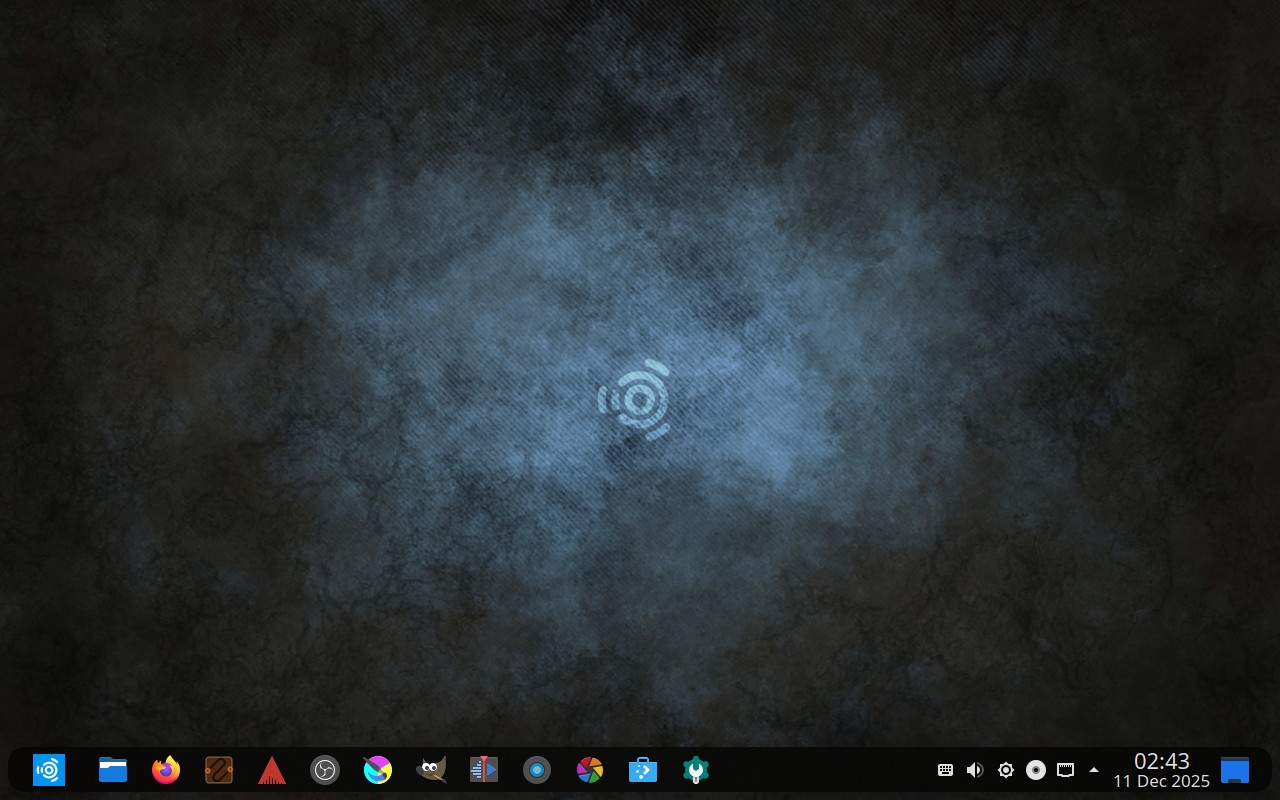
Orchis is now our default theme, which replaces Materia, our default theme since 19.04. Materia has stopped development, so we decided to
PipeWire continues to improve with every release and now includes FFADO support. Version 1.2.3
Ubuntu Studio Installer‘s included Ubuntu Studio Audio Configurationutility for fine-tuning the PipeWire setup now includes the ability to create or remove a dummy audio input device. Version 1.30
The legacy PulseAudio/JACK has been deprecated and discontinued, is no longer supported, and is no longer an option to use. Going forward, PipeWire or JACK are the only options. PipeWire’s JACK integration can be disabled from Ubuntu Studio Audio Configuration to use JACK by itself with QJackCtl, or via other means.
Major Package Upgrades
Ardour version 8.6.0
Qtractor version 1.1
OBS Studio version 30.2.3
Audacity version 3.6.1
digiKam version 8.4.0
Kdenlive version 24.08.1
Krita version 5.2.3
There are many other improvements, too numerous to list here. We encourage you to look around the freely-downloadable ISO image.
Known Issues
Due to the transition to Plasma 6 and Qt6, there may be some theming inconsistencies, especially for those upgrading. To work around these issues, reapply the default theme using System Settings and select “Orchis-dark” from Kvantum Manager.
Some graphics cards might find the transparency in the Orchis theme difficult to work with. For that reason, you can switch to “Orchis-dark-solid” in the Kvantum Manager. Feedback is welcome, and if the transparency becomes too burdensome, we can switch to the solid theme by default.
The new minimal install mode will not load the desktop properly with the extra icons (gimp, krita, patchance, etc.) in the top bar, so those had to be removed by default. If you find them useful, you can add them by right-clicking in the menu and clicking “Pin to Task Manager”. We apologize for the inconvenience.
Additionally, we need financial contributions. Our project lead, Erich Eickmeyer, is working long hours on this project and trying to generate a part-time income. Go here to see how you can contribute financially (options are also in the sidebar).
Frequently Asked Questions
Q: Does Ubuntu Studio contain snaps? A: Yes. Mozilla’s distribution agreement with Canonical changed, and Ubuntu was forced to no longer distribute Firefox in a native .deb package. We have found that, after numerous improvements, Firefox now performs just as well as the native .deb package did.
Thunderbird is also a snap this cycle in order for the maintainers to get security patches delivered faster.
Additionally, Freeshow is an Electron-based application. Electron-based applications cannot be packaged in the Ubuntu repositories in that they cannot be packaged in a traditional Debian source package. While such apps do have a build system to create a .deb binary package, it circumvents the source package build system in Launchpad, which is required when packaging for Ubuntu. However, Electron apps also have a facility for creating snaps, which can be uploaded and included. Therefore, for Freeshow to be included in Ubuntu Studio, it had to be packaged as a snap.
Also, to keep theming consistent, all included themes are snapped in addition to the included .deb versions so that snaps stay consistent with out themes.
We are working with Canonical to make sure that the quality of snaps goes up with each release, so we please ask that you give snaps a chance instead of writing them off completely.
Q: If I install this Beta release, will I have to reinstall when the final release comes out? A: No. If you keep it updated, your installation will automatically become the final release. However, if Audacity returns to the Ubuntu repositories before final release, then you might end-up with a double-installation of Audacity. Removal instructions of one or the other will be made available in a future post.
Q: Will you make an ISO with {my favorite desktop environment}? A: To do so would require creating an entirely new flavor of Ubuntu, which would require going through the Official Ubuntu Flavor application process. Since we’re completely volunteer-run, we don’t have the time or resources to do this. Instead, we recommend you download the official flavor for the desktop environment of your choice and use Ubuntu Studio Installer to get Ubuntu Studio – which does *not* convert that flavor to Ubuntu Studio but adds its benefits.
Q: What if I don’t want all these packages installed on my machine? A: We now include a minimal install option. Install using the minimal install option, then use Ubuntu Studio Installer to install what you need for your very own content creation studio.
We have quite a few exciting changes going on for Ubuntu Studio 24.10, including one that some might find controversial. However, this is not without a lot of thought and foresight, and even research, testing, and coordination.
With that, let’s just dive right into the controversial change.
Rather than take a reactive approach to this, we at Ubuntu Studio decided to be proactive and switch to the generic kernel starting with 24.10. To facilitate this, we will be enabling not only threadirqs like we had done before, but also preempt=full by default.
If you had read the first link above, you’ll also notice that nohz_full=all was also recommended, but we noticed that created performance degradation in high video workloads, so we decided to leave that off by default but give users a GUI option in Ubuntu Studio Audio Configuration to enable and disable these three kernel parameters as they need.
This has been tested on 24.04 LTS with results equivalent to or better than with the lowlatency kernel. The Ubuntu Kernel Team also has mentioned even more improvements coming to the kernel in 24.10, including the potential of ability to change these settings and more on-the-fly without reboot.
There have also been numerous improvements for gaming with these settings, for those of you that like to game. You can explore more of that on the Ubuntu Discourse.
Plasma 6
We are in cooperation with the Kubuntu team doing what we can to help with the transition to KDE Plasma Desktop 6. The work is going along slowly but surely, and we hope to have more information on this in the future. For right now, most testing on new stuff is being done on Ubuntu Studio 24.04 LTS for this reason since desktop environment breakages can be catastrophic for application testing. Hence, any screenshots will be on Plasma 5.
New Theming for Ubuntu Studio
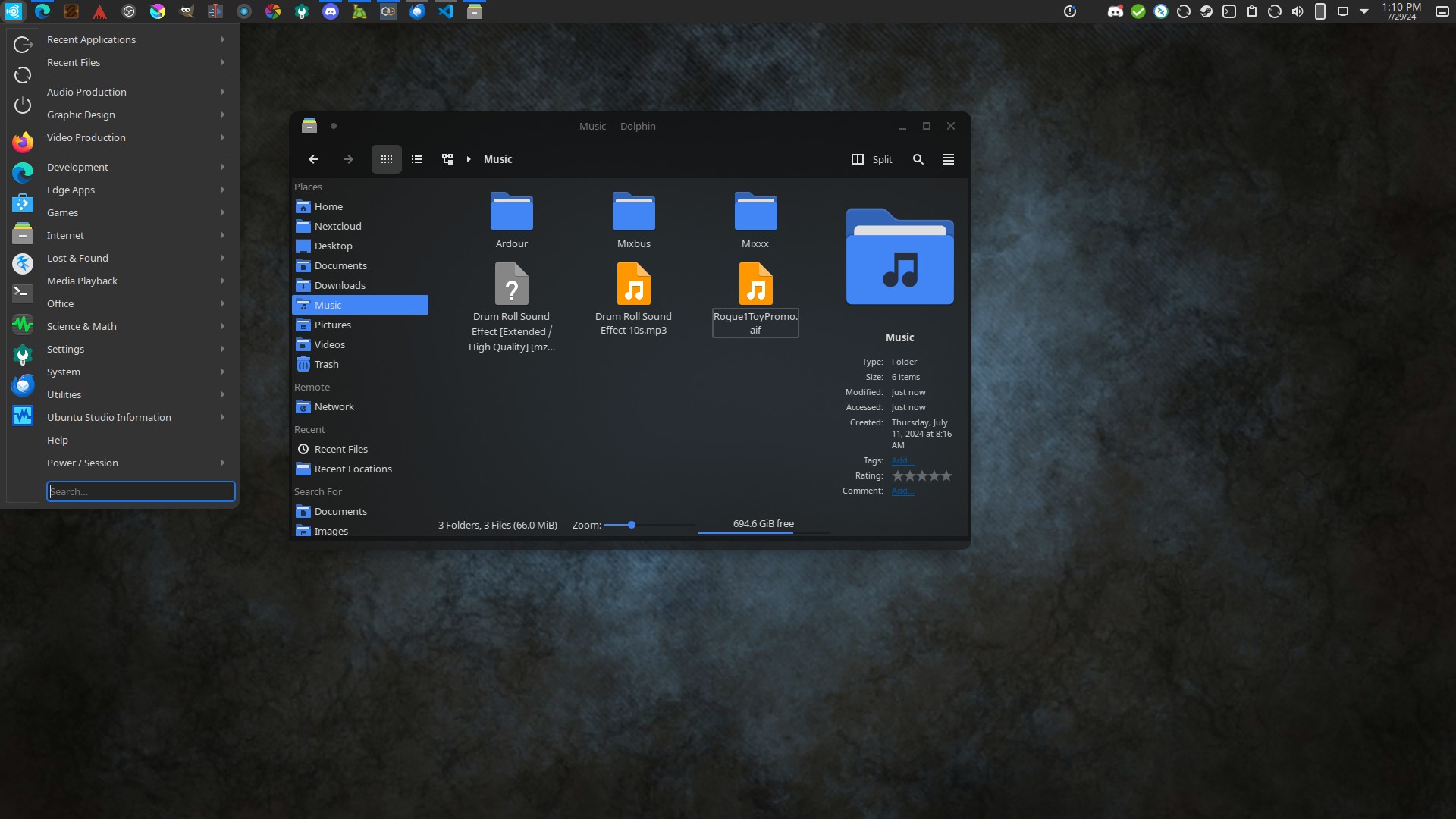
We’ve been using the Materia theme for the past five years, since 19.04, with a brief break for 22.04 LTS. Unfortunately, that is coming to an end as the Materia theme is no longer maintained. Its successor has been found in Orchis, which was forked from Materia. Here’s a general screenshot our Project Leader, Erich Eickmeyer, made from his personal desktop using Ubuntu Studio 24.04 LTS and the Orchis theme:
Message from Erich: “Yes, that’s Microsoft Edge and yes, my system needs a reboot. Don’t @ me. XD”
Contributions Needed, and Help a Family in Need!
Ubuntu Studio is a community-run project, and donations are always welcome. If you find Ubuntu Studio useful and want to support its ongoing development, please contribute!
Erich’s wife, Edubuntu Project Leader Amy Eickmeyer, lost her full-time job two weeks ago and the family is in desperate need of help in this time of hardship. If you could find it in your heart to donate extra to Ubuntu Studio, those funds will help the Eickmeyer family at this time.
The Ubuntu Studio team is pleased to announce the beta release of Ubuntu Studio 24.04 LTS, codenamed “Noble Numbat”.
While this beta is reasonably free of any showstopper installer bugs, you will find some bugs within. This image is, however, mostly representative of what you will find when Ubuntu Studio 24.04 is released on April 25, 2024.
Special Notes
The Ubuntu Studio 24.04 LTS disk image (ISO) exceeds 4 GB and cannot be downloaded to some file systems such as FAT32 and may not be readable when burned to a DVD. For this reason, we recommend downloading to a compatible file system. When creating a boot medium, we recommend creating a bootable USB stick with the ISO image or burning to a Dual-Layer DVD.
Full updated information, including Upgrade Instructions, are available in the Release Notes.
Please note that upgrading before the release of 24.04.1,due August 2024, is unsupported.
New Features This Release
PipeWire continues to improve with every release and is so robust it can be used for professional and prosumer use. Version 1.0.4
Ubuntu Studio Installer‘s included Ubuntu Studio Audio Configurationutility for fine-tuning the PipeWire setup or changing the configuration altogether now includes the ability to create or remove a dummy audio device. Version 1.9
Major Package Upgrades
Ardour version 8.4.0
Qtractor version 0.9.39
OBS Studio version 30.0.2
Audacity version 3.4.2
digiKam version 8.2.0
Kdenlive version 23.08.5
Krita version 5.2.2
There are many other improvements, too numerous to list here. We encourage you to look around the freely-downloadable ISO image.
Known Issues
Ubuntu Studio’s classic PulseAudio-JACK configuration cannot be used on Ubuntu Desktop (GNOME) due to a known issue with the ubuntu-desktop metapackage. (LP: #2033440)
We now discourage the use of the aforementioned classic PulseAudio-JACK configuration as PulseAudio is becoming deprecated with time in favor of PipeWire. PipeWire’s JACK configuration can be disabled to use JACK2 via QJackCTL for advanced users.
Due to the Ubuntu repositories being in-flux following the time_t transition and xz-utils security issue resolution, some items in the repository are uninstallable or causing other packaging conflicts. The Ubuntu Release Team is working around the clock to help resolve these issues, so patience is required.
Additionally, we need financial contributions. Our project lead, Erich Eickmeyer, is working long hours on this project and trying to generate a part-time income. See this post as to the reasons why and go here to see how you can contribute financially (options are also in the sidebar).
Frequently Asked Questions
Q: Does Ubuntu Studio contain snaps? A: Yes. Mozilla’s distribution agreement with Canonical changed, and Ubuntu was forced to no longer distribute Firefox in a native .deb package. We have found that, after numerous improvements, Firefox now performs just as well as the native .deb package did.
Thunderbird has become a snap this cycle in order for the maintainers to get security patches delivered faster.
Additionally, Freeshow is an Electron-based application. Electron-based applications cannot be packaged in the Ubuntu repositories in that they cannot be packaged in a traditional Debian source package. While such apps do have a build system to create a .deb binary package, it circumvents the source package build system in Launchpad, which is required when packaging for Ubuntu. However, Electron apps also have a facility for creating snaps, which can be uploaded and included. Therefore, for Freeshow to be included in Ubuntu Studio, it had to be packaged as a snap.
Q: If I install this Beta release, will I have to reinstall when the final release comes out? A: No. If you keep it updated, your installation will automatically become the final release. However, if Audacity returns to the Ubuntu repositories before final release, then you might end-up with a double-installation of Audacity. Removal instructions of one or the other will be made available in a future post.
Q: Will you make an ISO with {my favorite desktop environment}? A: To do so would require creating an entirely new flavor of Ubuntu, which would require going through the Official Ubuntu Flavor application process. Since we’re completely volunteer-run, we don’t have the time or resources to do this. Instead, we recommend you download the official flavor for the desktop environment of your choice and use Ubuntu Studio Installer to get Ubuntu Studio – which does *not* convert that flavor to Ubuntu Studio but adds its benefits.
Q: What if I don’t want all these packages installed on my machine? A: Simply use the Ubuntu Studio Installer to remove the features of Ubuntu Studio you don’t want or need!
As we get to the close of February 2024, we’re also getting close to Feature Freeze for Ubuntu Studio 2024 and, therefore, a closer look at what Ubuntu Studio 24.04 LTS will look like!
Before we get to that, however, we do want to let everyone know that community donations are down. We understand these are trying times for us all, and we just want to remind everyone that the creation and maintenance of Ubuntu Studio does come at some expense, such as electricity, internet, and equipment costs. All of that is in addition to the tireless hours our project leader, Erich Eickmeyer, is putting into this project daily.
Additionally, some recurring donations are failing. We’re not sure if they’re due to expired payment methods or inadequate funds, but we have no way to reach the people whose recurring donations have failed other than this method. So, if you have received any kind of notice, we kindly ask that you would check to see why those donations are failing. If you’d like to cancel, then that’s not a problem either.
If you find Ubuntu Studio useful or agree with its mission, we would ask that you would ask that you would contribute a donation or subscribe using one of the methods below.
Ubuntu Studio Will Always Remain a Free Download. That Will Not Change. The work that goes into producing it, however, is not free, and for that reason, we ask for voluntary donations.
Donate using PayPal Donations are Monthly or One-Time
Donate using Liberapay Donations are Weekly, Monthly, or Annually
Progress has been made on the new installer, and for a while, it was working. However, at this time, the code is entirely in the hands of the Ubuntu Desktop Team at Canonical and we at Ubuntu Studio have no control over it.
This is currently where it gets stuck. We have no control over this at present.
Additionally, while we do appreciate testing, no amount of testing or bug reporting will fix this, so we ask that you be patient.
Wallpaper Competition
Our Wallpaper Competition for Ubuntu Studio 24.04 LTS is underway! We’ve received a handful of submissions but would love to see more!
Moving from IRC back to Matrix
Our support chat is moving back from IRC to Matrix! As you may recall, we had a Matrix room as our support chat until recently. However, the entire Ubuntu community has now begun a migration to Matrix for our communication needs, and Ubuntu Studio will be following. Stay tuned for more information to that, but also our links will be changing on the website, and the menu links will default to Matrix in Ubuntu Studio 24.04 LTS’s release.
PulseAudio-Jack/Studio Controls Deprecation
Beginning in Ubuntu Studio 24.04 LTS, the old PulseAudio-JACK bridging/configuration, while still installable and usable with Studio Controls, will no longer be supported and will not be recommended for use. For most people, the default configuration using PipeWire with the PipeWire-JACK configuration enabled, which can be disabled on-the-fly if one wishes to use JACKd2 with QJackCtl.
While Studio Controls started out as our in-house-built Ubuntu Studio Controls, it is no longer useful as its functionality has largely been replaced by the full low-latency audio integration and bridging PipeWire has provided.
With that, we hope our next update will provide you with better news regarding the installer, so keep your eyes on this space!