Ubuntu Studio Is Ubuntu, Built for Creators

Ubuntu Studio is an official flavor of Ubuntu, purpose-built for musicians, graphic designers, video producers, photographers, and anyone who creates. It ships the same base system, the same repositories, the same security updates, and the same release cadence as every other Ubuntu edition. It then layers on a curated creative software suite and a workflow-optimized desktop so you can start making things the moment you log in.
Ubuntu Studio is Free and Open Source Software (FOSS), which means it is free to download and use. You can get the source code, study it and modify it. You can redistribute Ubuntu Studio and can even redistribute your modified version. Read more about these freedoms at GNU.org’s Free Software page.
What You Get
- Curated creative applications: Ardour, Blender, Krita, GIMP, Kdenlive, OBS Studio, Scribus, Darktable, and more, tested and ready out of the box.
- KDE Plasma desktop: a powerful, customizable environment tuned for creative workflows with workspace layouts, virtual desktops, and session management.
- Integrated audio tooling: PipeWire as the default audio server with full JACK compatibility, low-latency kernel parameters, and session managers like RaySession.
- Full Ubuntu ecosystem: access to the same vast package repositories, Snap Store, drivers, and hardware support you already trust.
- LTS stability and interim releases: Long Term Support editions backed by five years of security updates, plus regular interim releases for those who want the latest features.
What Ubuntu Studio Is Not
Misconceptions persist. Let’s clear them up:
- Not a fork. Ubuntu Studio is built from Ubuntu, not split off from it. There is no separate codebase.
- Not a separate distribution. It is a recognized Ubuntu flavor maintained in collaboration with Canonical and the Ubuntu community.
- Not only for experts. The installer is the same process used by most other Ubuntu flavors. If you can install Ubuntu, you can install Ubuntu Studio.
- Not a custom-kernel project. Ubuntu Studio uses the standard Ubuntu generic kernel with low-latency boot parameters enabled by default. No out-of-tree patches required.
Same Foundation, Creative Focus
Same base
Every Ubuntu Studio release is built on the corresponding Ubuntu base. When Ubuntu 26.04 LTS ships, Ubuntu Studio 26.04 LTS ships alongside it, same day, same packages, same infrastructure.
Same repositories
You install software from the same Main, Universe, Restricted, and Multiverse repositories as any Ubuntu user. No separate package archive to maintain or trust.
Same kernel
Since 24.04.3, Ubuntu Studio runs the generic Ubuntu kernel with low-latency features activated at boot (preempt=full threadirqs). You receive the same kernel security patches on the same schedule.
Same security updates
Security patches flow through the same Ubuntu Security Team pipeline. When a CVE fix lands for Ubuntu, it lands for Ubuntu Studio automatically.
Same release cadence
LTS releases every two years with three years of support. Interim releases every six months for users who want newer packages sooner.
Ubuntu Studio: A Tour
Ubuntu Studio is a Linux-based operating system designed as a free, open, and powerful platform for creative people to create their art.
Ubuntu Studio is an official flavor of Ubuntu; not a separate derivative, but part of the Ubuntu project itself. Ubuntu Studio is maintained by an amazing and continually increasing community.
Ubuntu Studio is released every six months, but a long term release (LTS) version is released only every 2 years.
Ubuntu Studio’s default desktop is KDE Plasma, and it ships several creative and multimedia applications from the KDE community. Those are marked with 🟦 throughout this tour.
Contents:
Audio
Recording, mixing, mastering, live processing, or even coding
Whether your aim is recording, mixing, mastering, live processing, or even coding, there is a variety of tools for you. With a full suite of audio applications Ubuntu Studio can support you with these tasks and many more.
Ubuntu Studio makes available some of the most popular and recently updated audio software in the Linux world.
PipeWire
PipeWire is the low latency audio and video server used by Ubuntu Studio. It handles routing for everything from desktop sound to professional audio, and includes a JACK-compatible interface, so JACK-only applications connect to it exactly as they would to a native JACK server. The preferred way to configure it on Ubuntu Studio is the Ubuntu Studio Audio Configuration utility (pictured):
- Configures PipeWire Quantum (buffer size and sample rate, i.e. audio latency)
- Switches low-latency kernel boot parameters on or off
- Provides low latency (less than 5 milliseconds with the right hardware)
- Recognizes hotplugged USB audio devices

Ardour
Ardour is a Digital Audio Workstation (DAW), suitable for recording, mixing and mastering. Some of its features include:
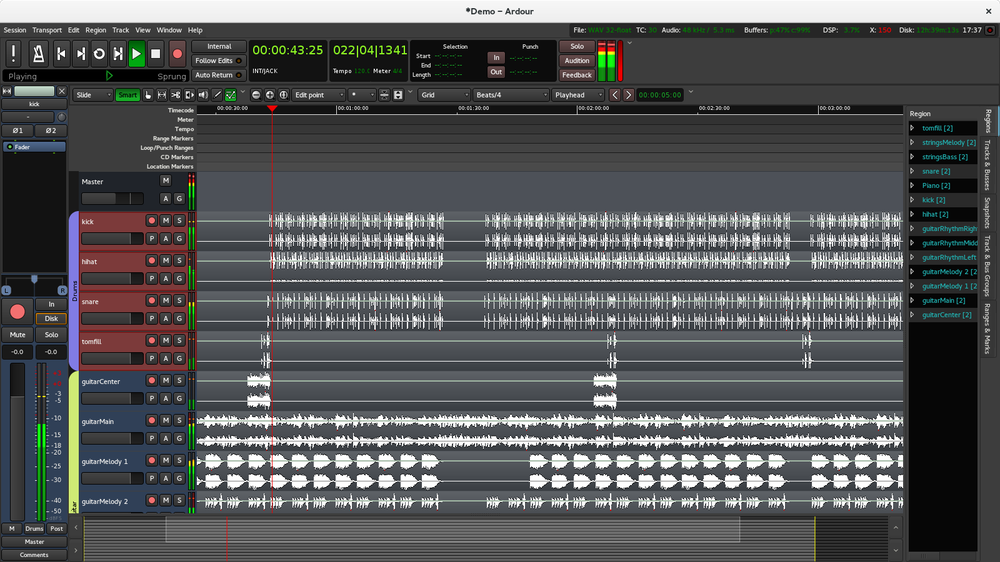
- Unlimited audio tracks and buses
- Non-destructive, non-linear editing with unlimited undo
- Anything-to-anywhere signal routing
- Unlimited pre- and post-fader plugins
- 32 bit floating point audio path
- Automatic track delay compensation
- Sample accurate automation
- Standard file formats (BWF, WAV, WAV64, AIFF, CAF and more)
- More than 200 LADSPA and LV2 plugins freely available
- MIDI CC control with 1 click
- Level 2 MIDI Machine Control
- MIDI Timecode (MTC) Master or Slave
- Full integration with all JACK applications
- Video-synced playback, pull up/pull down
Carla
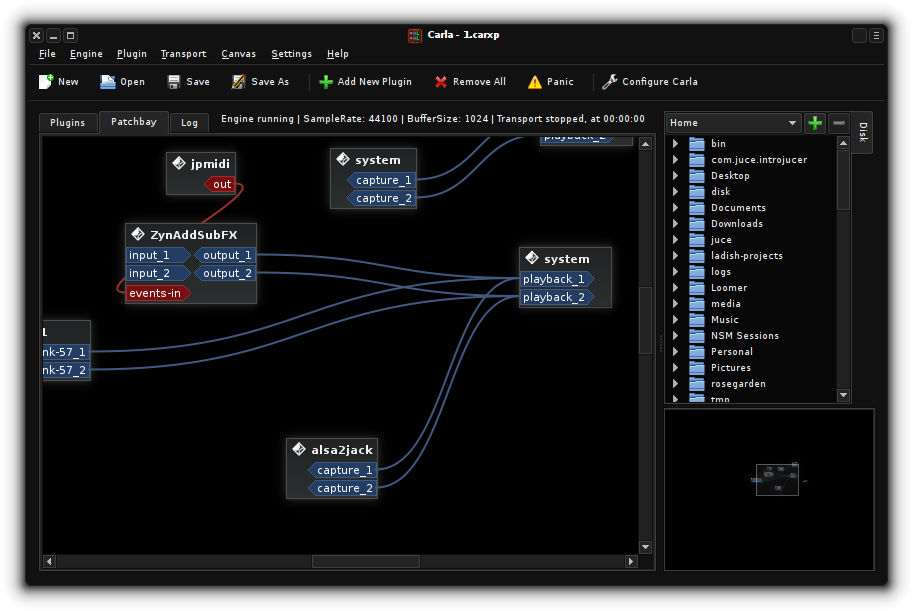
Carla is a virtual audio rack and patchbay, otherwise known as a plugin host, that can use audio plugins normally used in a DAW such as Ardour as if it was a rack of audio hardware. Some of its features include:
- Saving virtual racks and connections
- Interacting with several plugin types, including LADSPA, LV2, DSSI, and VST
- A plugin bridge that utilizes WINE to use plugins compiled for Windows devices (experimental, not installed by default)
Sequencers and Synthesizers
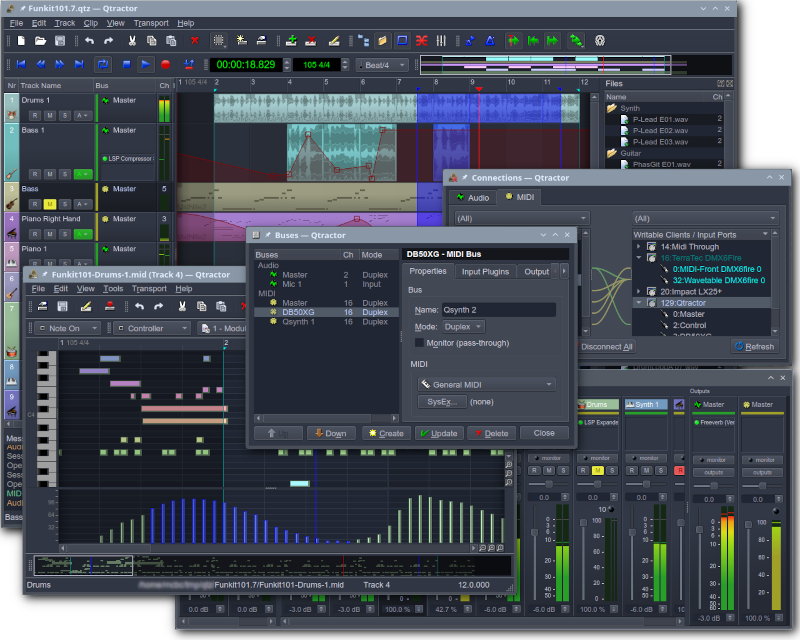
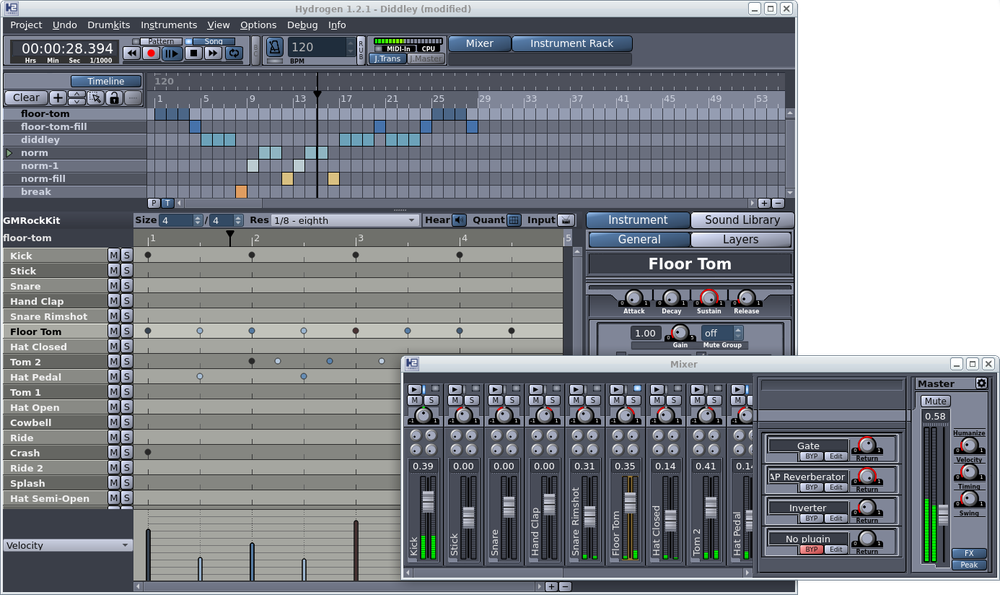
Ubuntu Studio comes with other notable applications such as:
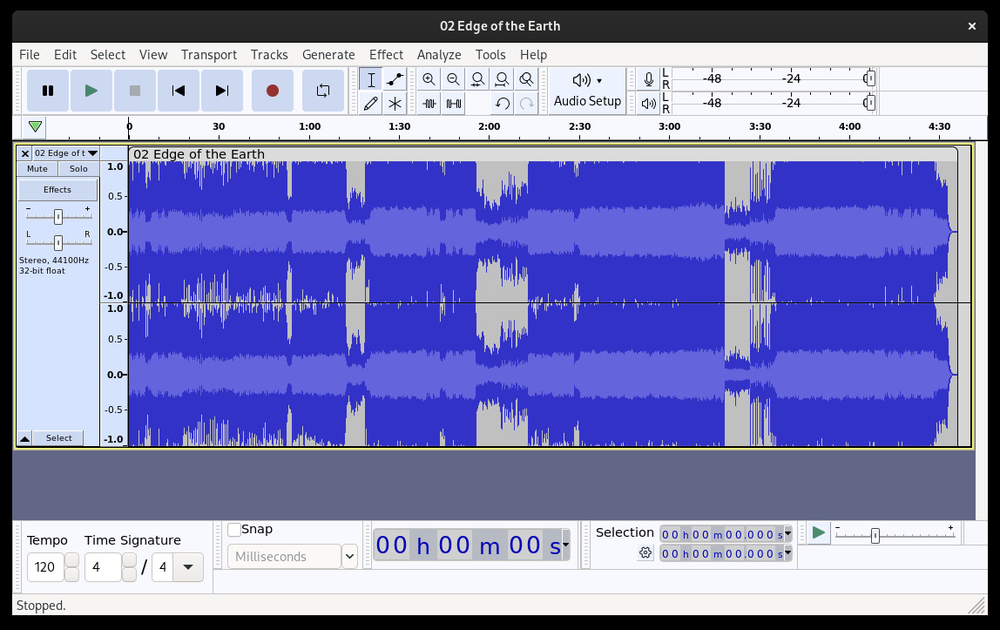
- Audacity: audio wave editor
- Qtractor: MIDI capable DAW
- Hydrogen: drum machine / sequencer
- Yoshimi: software synthesizer

Virtual Guitar Amps
Rakarrack and Guitarix are two popular guitar amp simulators.
Audio Programming
There are numerous easy to use audio programming environments available to Ubuntu Studio, including Pure Data, Csound, Sonic Pi, and SuperCollider, the latter two useful for live coding and algorithmic composition.
🟦 KDE audio tools
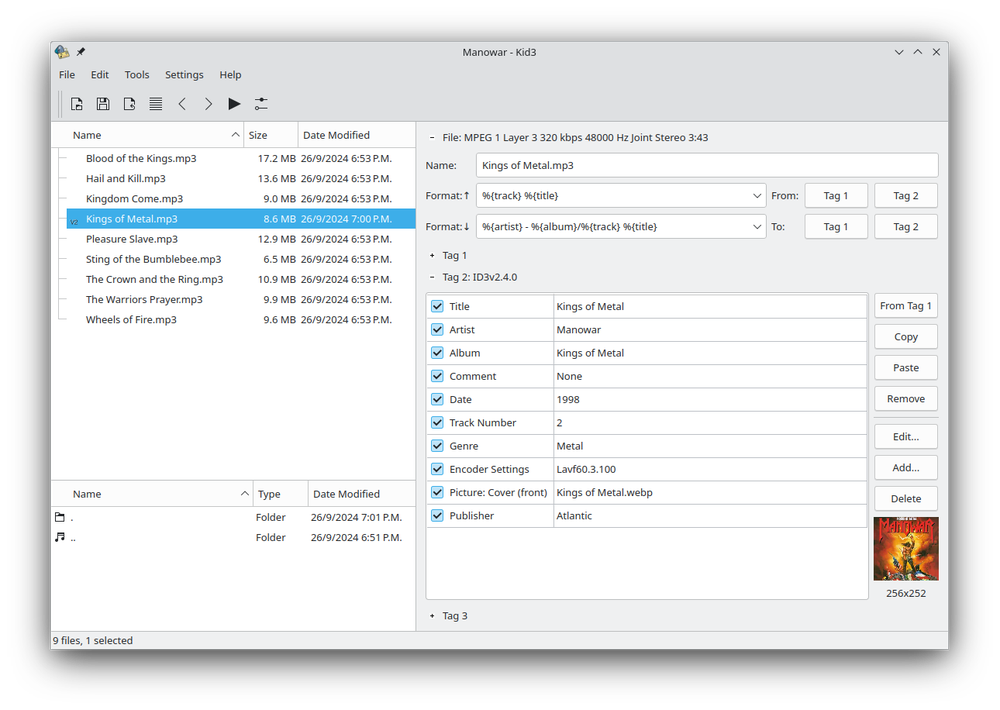
- Kid3: audio tagger for editing the tags of MP3, Ogg, FLAC, and many other audio formats, in bulk if you like.
- KMetronome: a MIDI metronome for keeping time while you practice or record.
Graphics
🟦 Krita
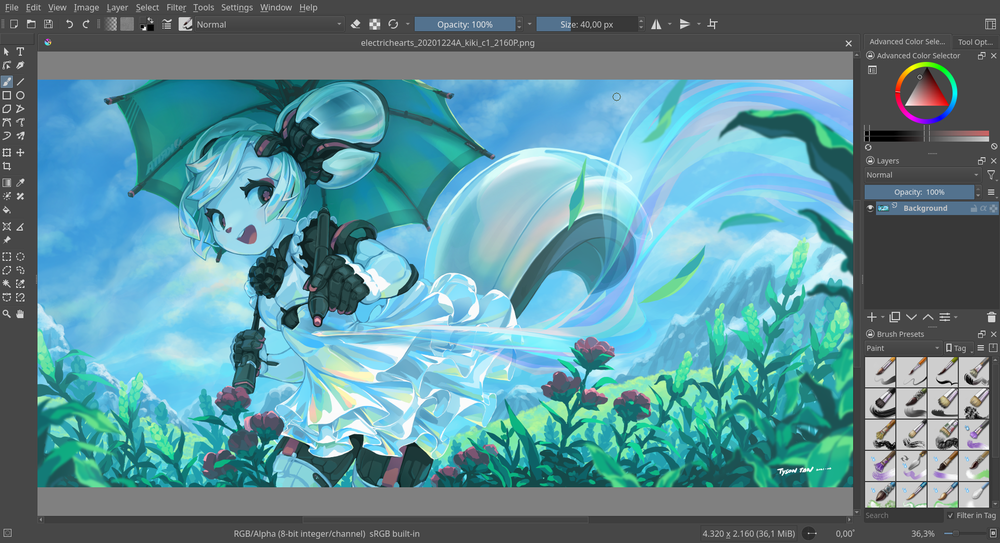
Krita is a creative application for raster images. Whether you want to create from scratch or work with existing images, Krita is for you. You can work with photos or scanned images, or start with a blank slate. Krita supports most graphics tablets out of the box.
- Clean and flexible interface
- All the tools you need for design
- Simple and powerful 2D animation
- Many more features
Blender
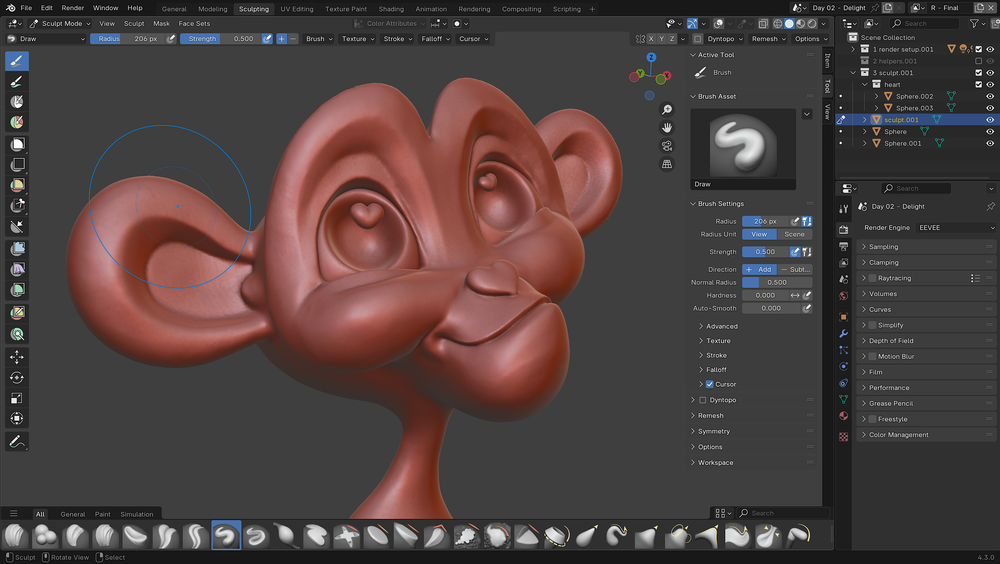
Blender is a full fledged 3D content creation suite. You can create 3D models and animate scenes. Blender is also vastly expandable with add-ons.
- 3D solids and character modeling
- Scene animation
- Physics and particle functions
- Shading
- Imaging and compositing
- Highly extensible
Inkscape
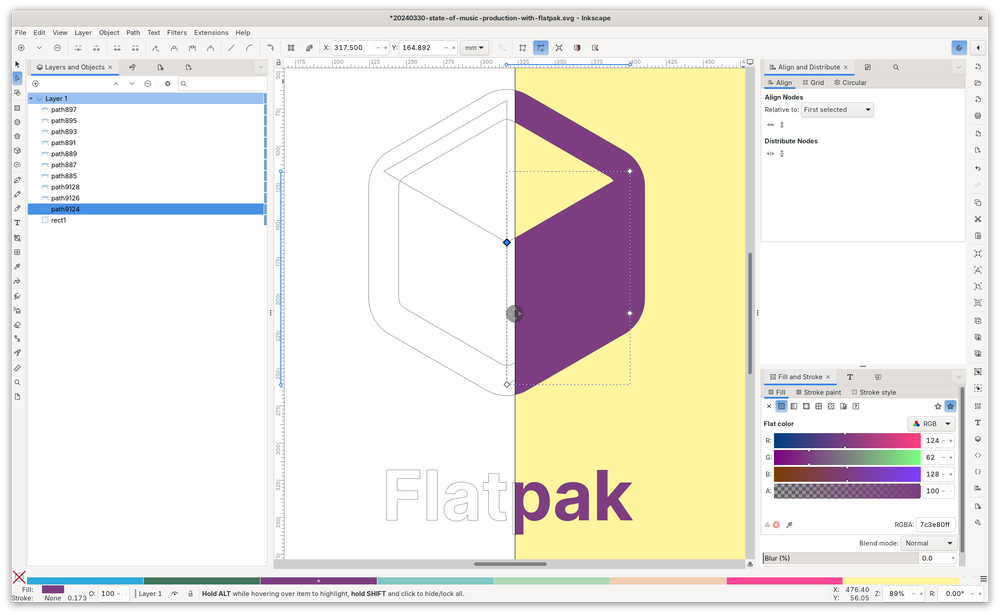
Inkscape is a superb vector graphics editor, with capabilities similar to Illustrator or Affinity Designer, using the W3C standard Scalable Vector Graphics (SVG) file format.
GIMP
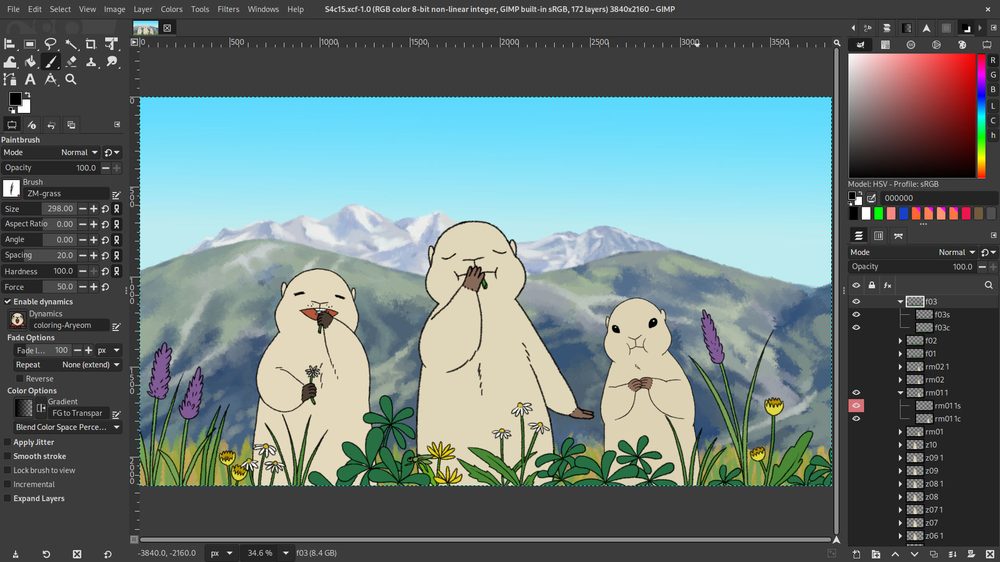
GIMP stands for GNU Image Manipulation Program, and is similar to Photoshop.
PikoPixel
PikoPixel is an easy-to-use application for drawing and editing pixel art.
- Unlimited undo
- Supports multiple layers
- Customizable canvas background and grid patterns
- Hotkey-activated popup panels
- Export upscaled images
- Supports linear (gamma-correct) color blending
Video
🟦 Kdenlive

Kdenlive is a non-linear video editing suite, which supports DV, HDV and many more formats. Its key features are:
- Guides and markers for organizing timelines
- Copy and paste support for clips, effects, and transitions
- Real time changes
- FireWire and Video4Linux capture
- Screen grabbing
- Exporting to any format supported by FFmpeg
OBS Studio
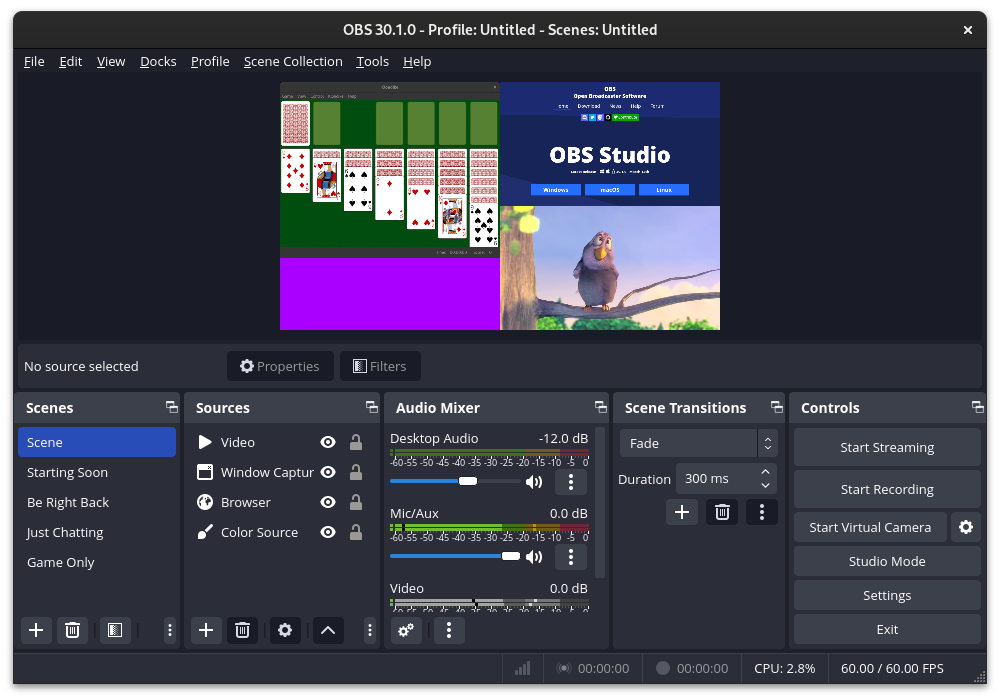
Ubuntu Studio was the first operating system to install the world-renowned OBS Studio by default! OBS Studio is designed for efficiently recording and streaming live video content. It supports streaming to various platforms via RTMP, SRT, and RIST.
Other features include:
- Encoding using H264 (x264) and AAC
- Unlimited number of scenes and sources
- File output to MP4 or FLV
- GPU-based game capture for high performance game streaming
- Bilinear or Lanczos3 resampling
FFmpeg
FFmpeg is the leading multimedia framework, able to decode, encode, transcode, mux, demux, stream, filter and play nearly anything that humans and machines have created. It supports the most obscure ancient formats up to the forefront, no matter if some standards committee, the community, or a corporation designed them. It contains libavcodec, libavutil, libavformat, libavdevice, libswscale and libswresample which can be used by applications. As well as ffmpeg, ffplay and ffprobe which can be used by end users for transcoding, streaming and playing.
🟦 K3b
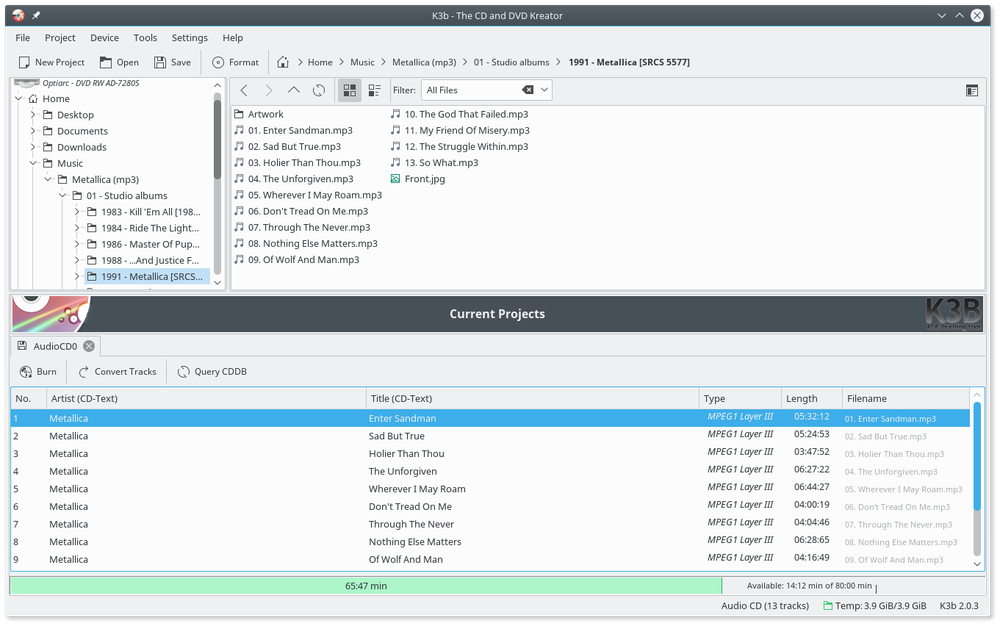
K3b is KDE’s CD, DVD, and Blu-ray authoring and burning application. Use it to burn audio CDs, data discs, and video DVDs from your finished projects.
Photography
🟦 digiKam
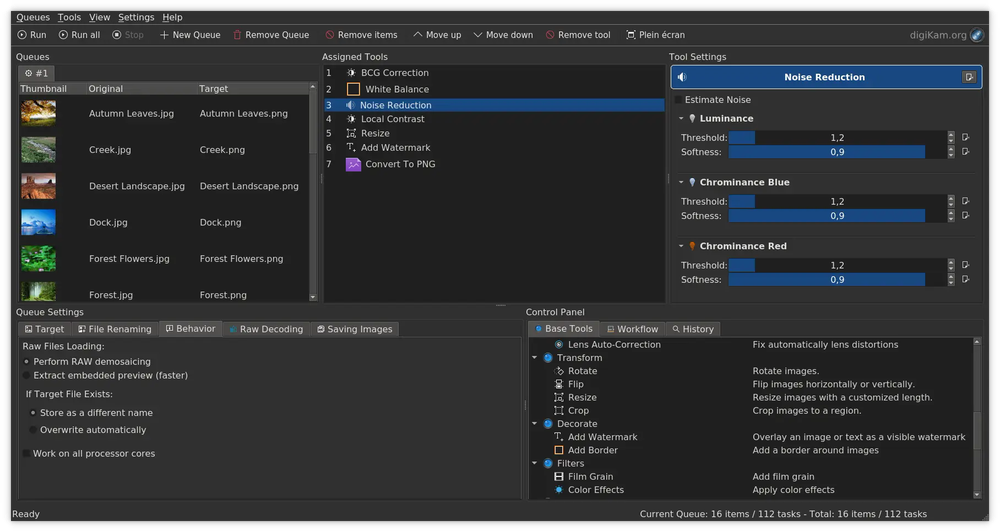
digiKam is a digital photo management program designed to import, organize, enhance, search, and export your digital images to and from your computer. It enables you to manage large numbers of digital photographs in albums and to organize these photographs for easy retrieval using tags (keywords), captions, collections, dates, geolocation and searches. It has many features for viewing, organizing, processing, and sharing your images. Thus, digiKam is a formidable digital asset management (DAM) software including powerful image editing functions.
- Set up your collections
- Import photos, raw files, and videos
- Organize your collections
- Search in your collections
- Browse, compare, and view items in your collections
- Post-processing, editing, assembling, and transforming your photos
- Share and publish photos

Darktable
Darktable is a photography workflow application and RAW developer. A virtual lighttable and darkroom for photographers. It manages your digital negatives in a database, lets you view them through a zoomable lighttable and enables you to develop raw images and enhance them.
Publishing
Achieve professional results for publishing books
Want to publish a book, or an e-book? Whether you’re heading for the printing press, or need to have a particular format for a phone reader, it is possible to achieve professional results on Ubuntu Studio.
Although not everything is preinstalled, powerful tools for book publishing are at your fingertips, installable from the repository using the Software Center.
Calibre
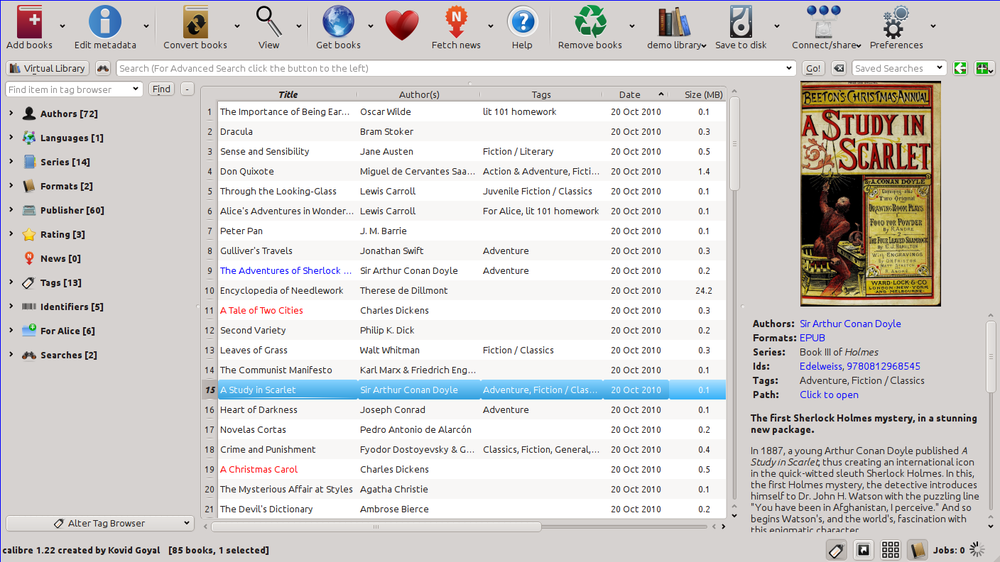
Calibre is a popular program that makes things easy for new users by providing excellent templates for common formats, such as Kindle, various types of tablets and other hardware readers, and a lot more.
Scribus
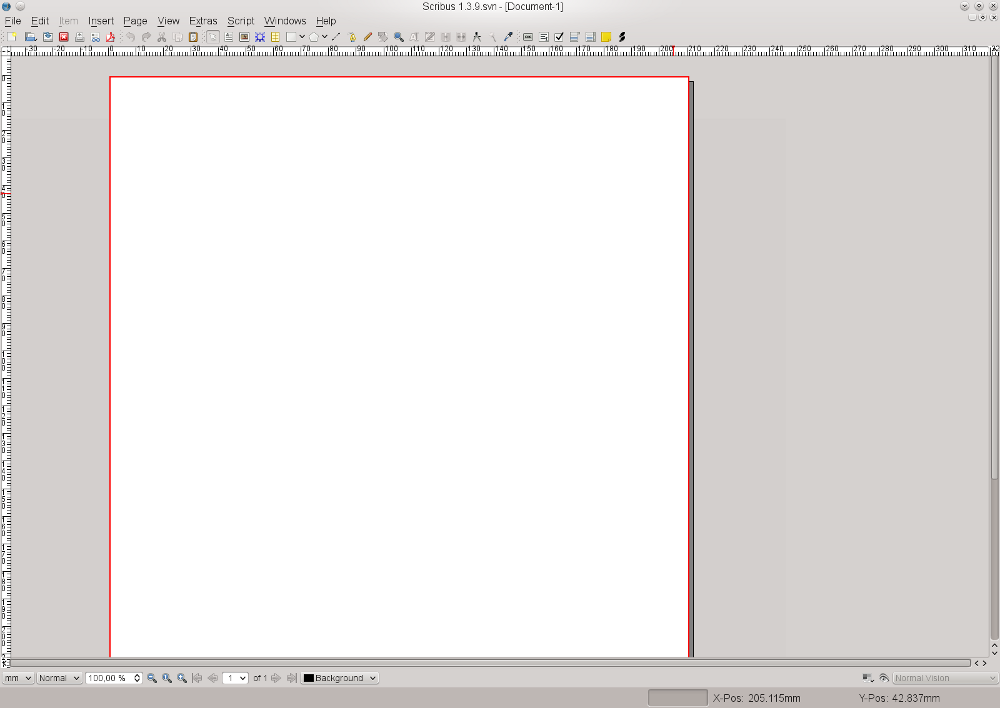
Another great tool is Scribus, which will let you create professional PDF publications. There are some nice templates for posters, business cards, brochures and more.
LibreOffice
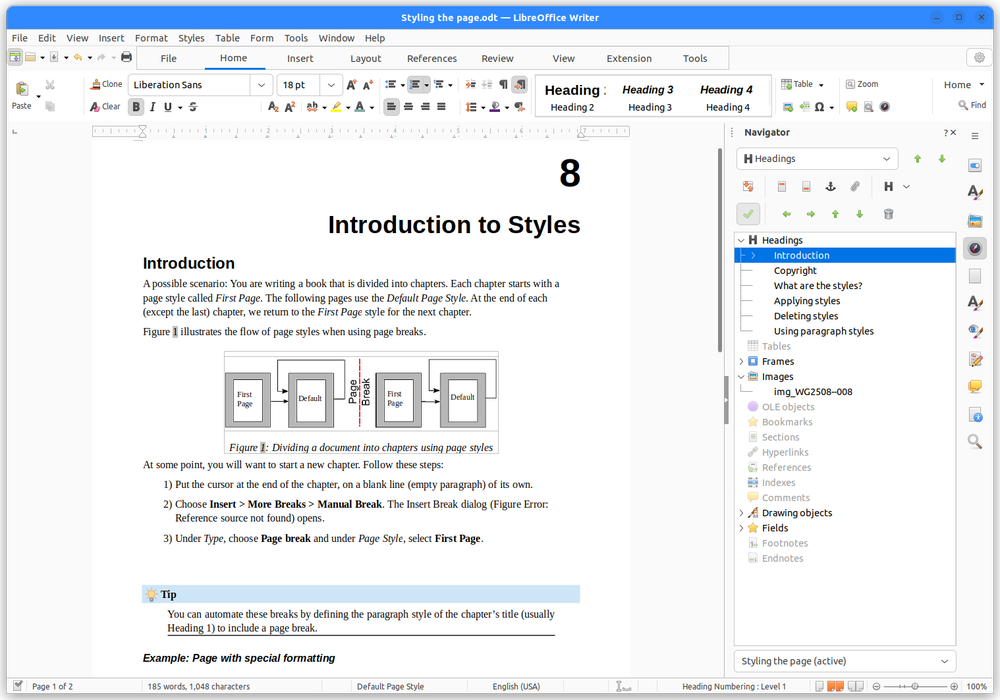
And of course, we have LibreOffice. With LibreOffice Writer you can create the text, and save in any format you like, including MS Office formats, as well as export to PDF.
Screenshots are from the application projects’ own published appstream and KDE screenshot galleries (via Flathub and cdn.kde.org), and from the Ubuntu Studio website (Audio Configuration). They remain the property of their respective projects and are shown under their respective licenses.
Content is adapted from the Ubuntu Studio tour. Package lists are based on the ubuntustudio-meta selections.