Xfce Legacy
A lot of people have asked us why Ubuntu Studio comes with a panel on top as the default. For that, it’s a simple answer: Legacy.
When Ubuntu Studio 12.04 LTS (Precise Pangolin) released over 13 years ago, it was released with a top panel by default as that was the default for our desktop envirionment: Xfce.
Fast-forward eight years to 20.10 and Xfce was no longer our default desktop environment: we had switched to KDE’s Plasma Desktop. Plasma has a bottom panel by default, similar to Windows. However, to ease the transition for our long-time users, we kept the panel on top by default, resizing it to be similar to the default top panel of Xfce.

A macOS-Like Layout
With 25.10’s release, we included an additional layout: two panels. One panel is on top with a global menu, and the bottom contains some default applications, a trash can, and a full-screen application launcher. This is a way to feel familiar to those with a similar layout from where they may be coming from, being an operating system for creativity: macOS.
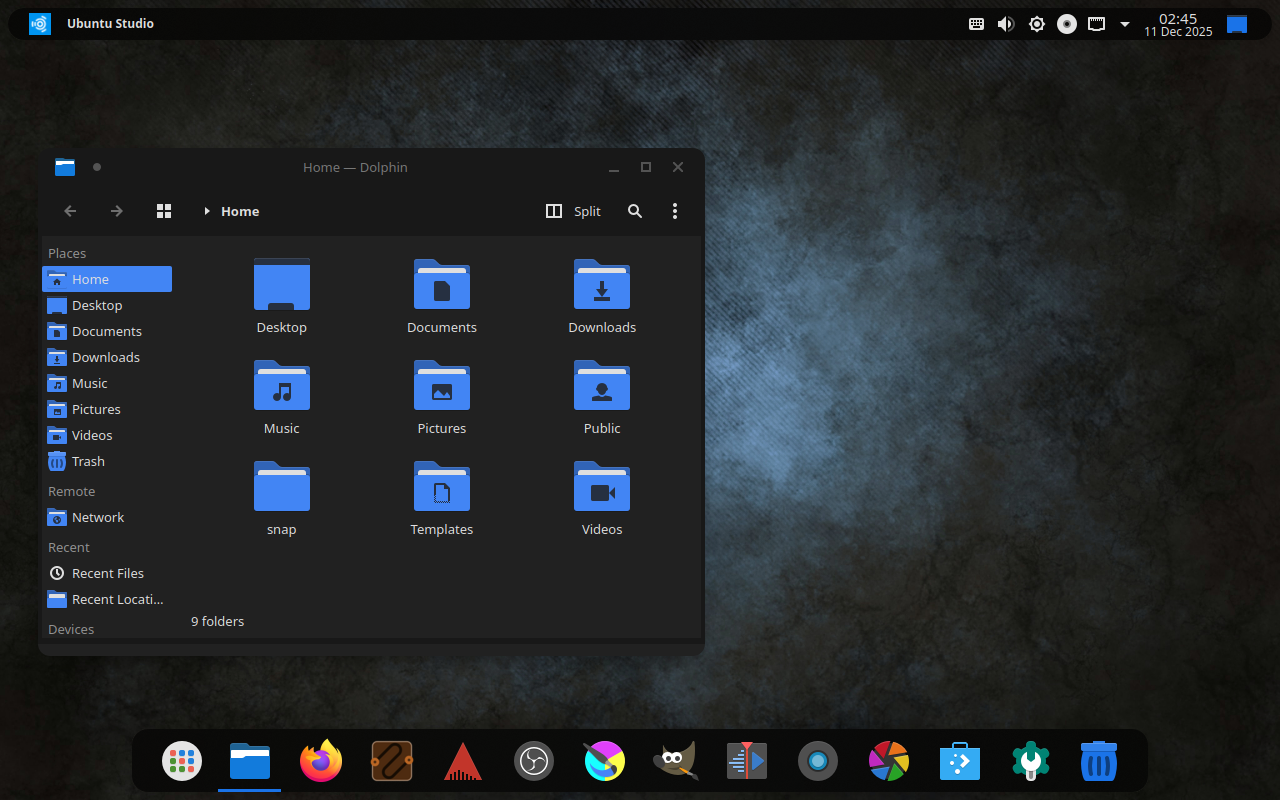
Familiarity and Traditionalism: Windows-like Layout
Starting with 26.04 LTS, we’ll also include one more layout: a bottom, Windows 10-like layout. This is to ease the transition for those coming from Windows, and due to popular request and reports.
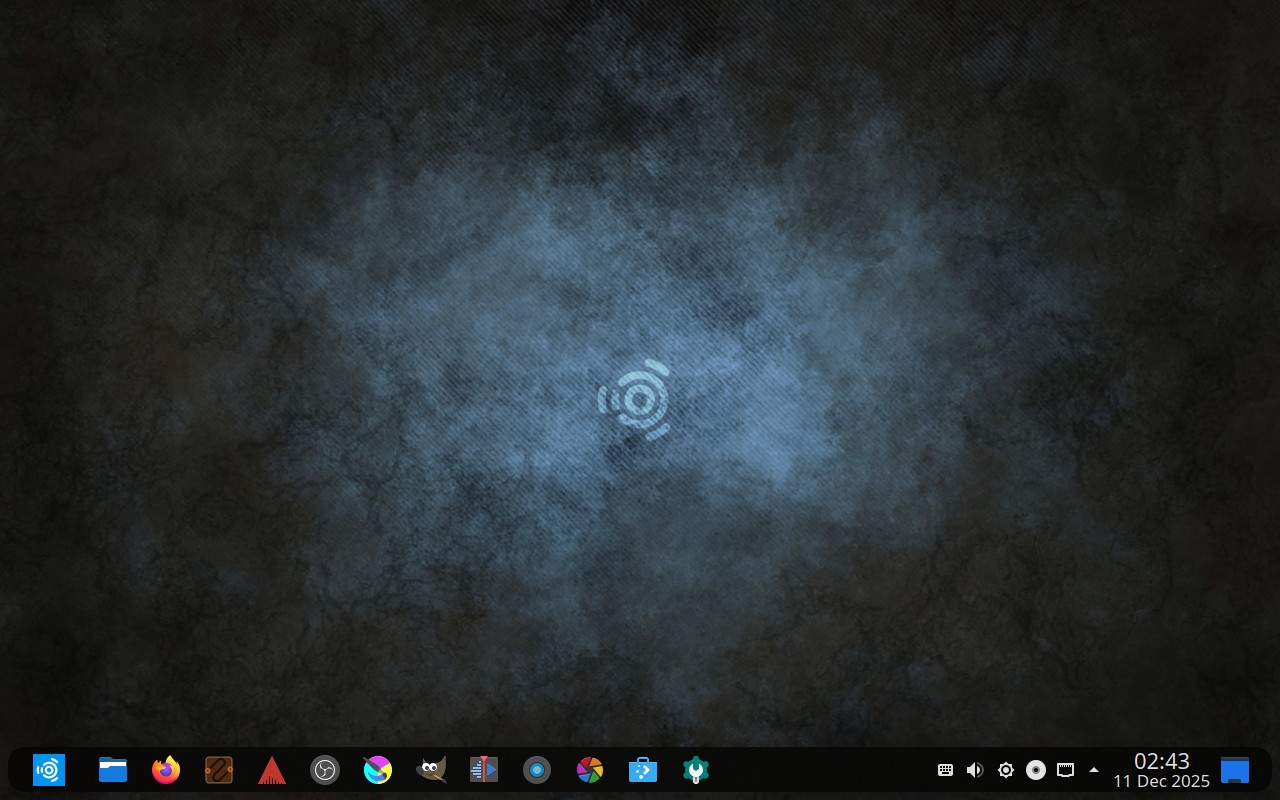
Should We Change The Default?
It has been 13 years since we defaulted to a top panel, but is that the right idea anymore?
Right now, on the Ubuntu Discourse, we have a poll to decide if we should change the default layout starting with 26.04 LTS. This will not affect layouts for anyone upgrading from a prior release, but only new installations or new users going forward.
If you would like to participate in the poll, head on over to the Ubuntu Discourse and cast a vote!